


A modern, SwiftUI-native "What's New" presentation framework designed for all Apple platforms. Featuring beautiful animations, gradient backgrounds, remote data loading, and comprehensive customization options for creating engaging release notes and feature announcements.
- ✨ Features
- 🎯 Quick Start
- 🎨 Preview & Gallery
- ⚙️ Configuration
- 🔧 Data Sources
- 🛠️ Platform Support
- 📁 Installation Guide
- 🔧 Troubleshooting
- 📂 Project Structure
- 🤝 Contributing
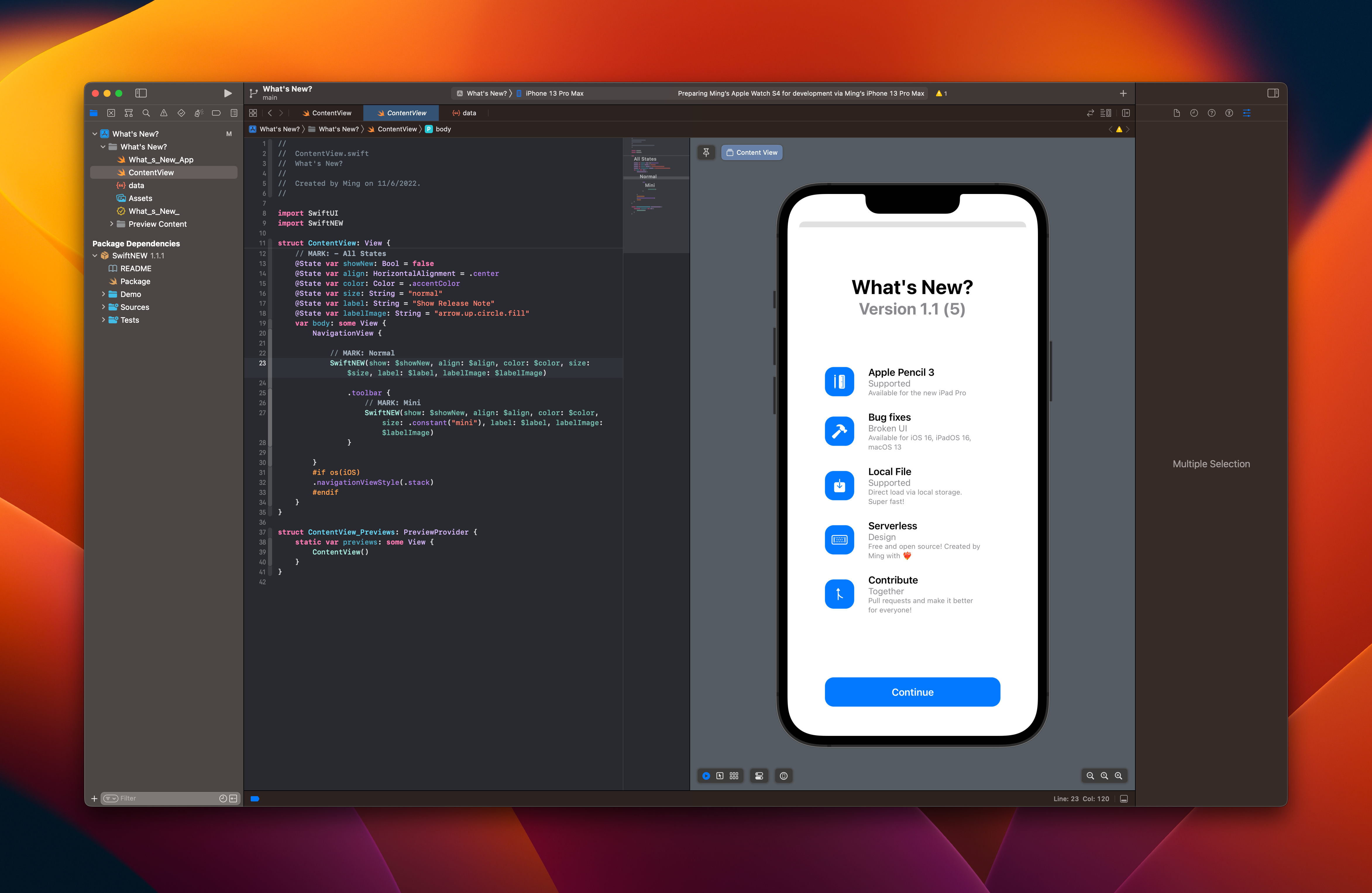
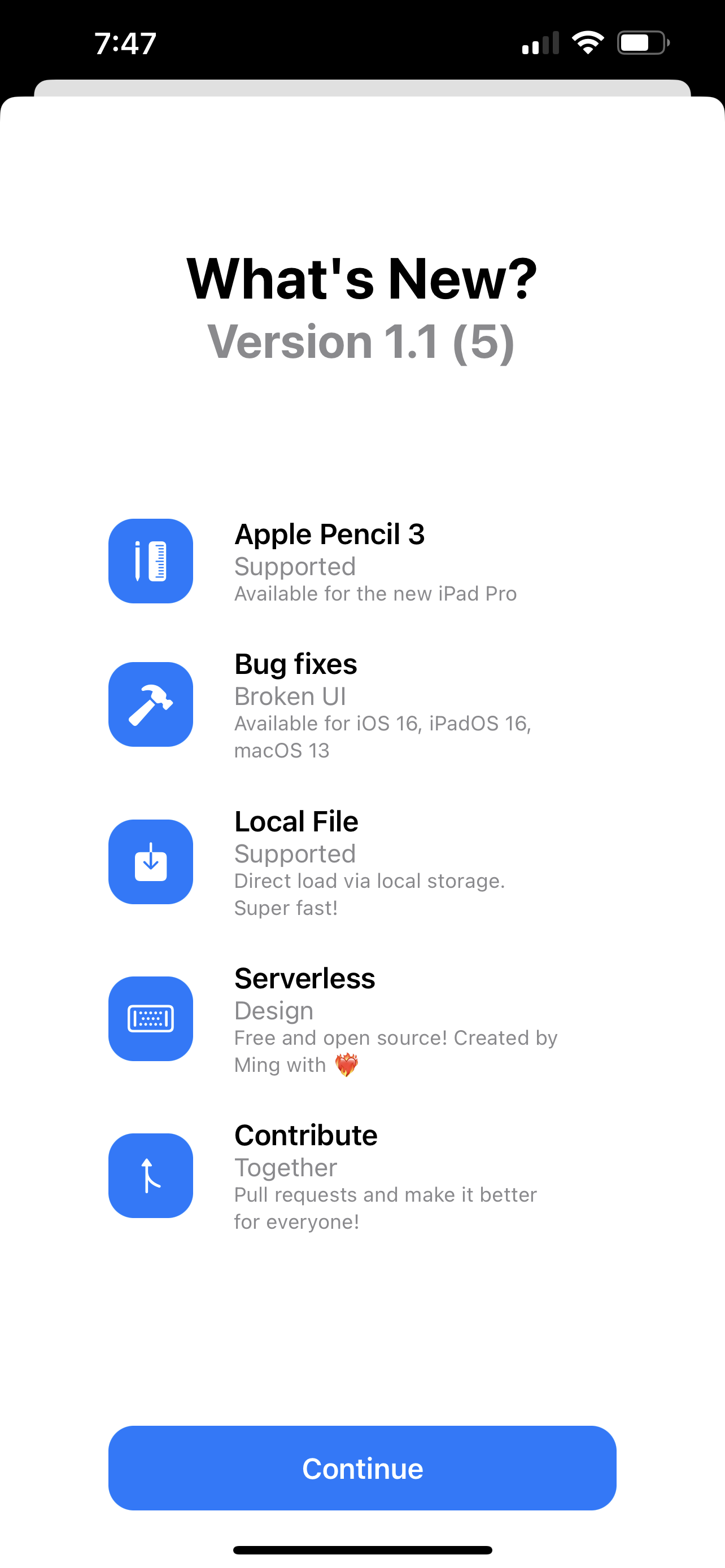 | 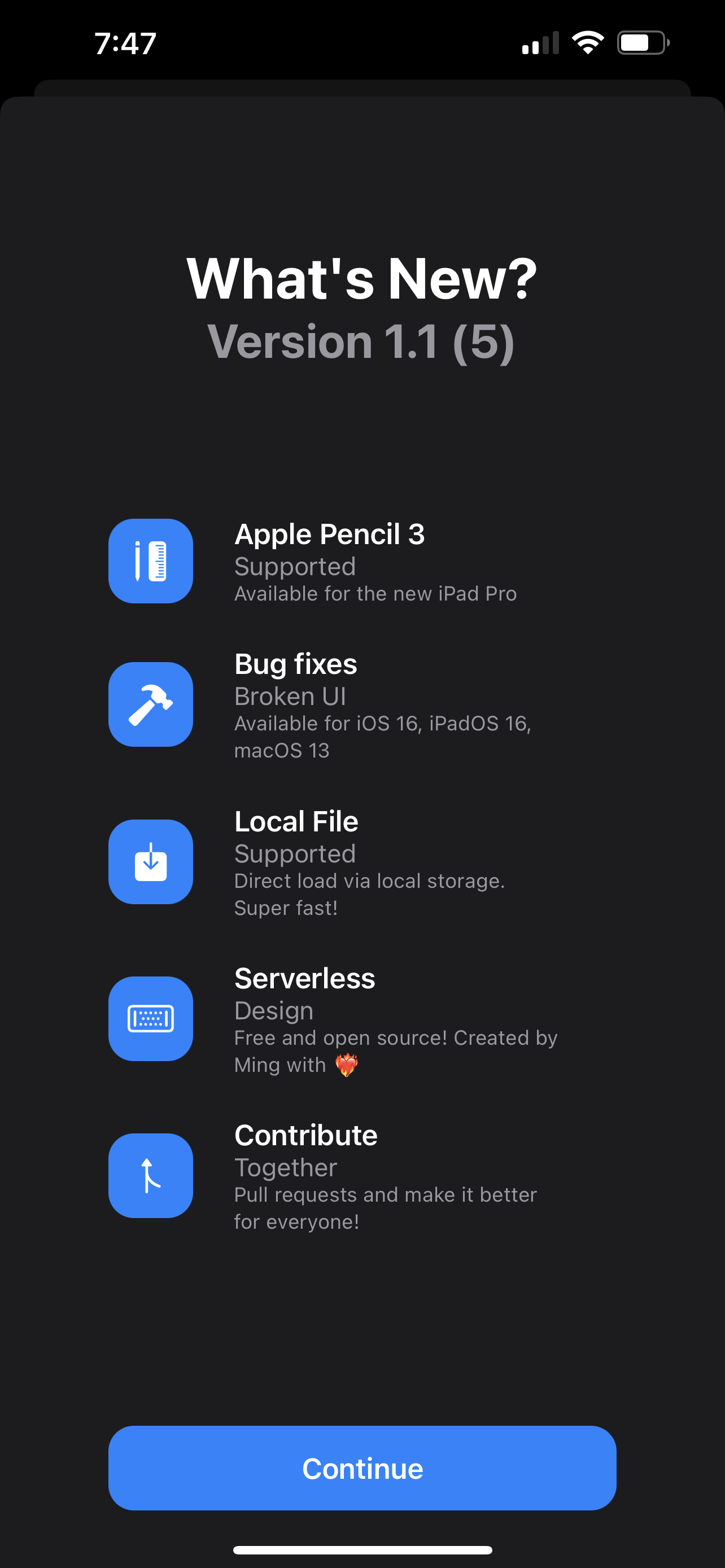 |
|---|---|
| Light Native | Dark Native |
 |  |
|---|---|
| History View (2.0.0+) | App Icon Support (3.9.6+) |
 |  |
|---|---|
| VisionOS Support (4.1.0+) | Mesh Gradient Background (5.3.0+) |
| Feature | Version | Description |
|---|---|---|
| 🎨 Glass Morphism Effects | 5.5.0+ | Modern glass blur effects with customizable transparency |
| 🌈 Mesh & Linear Gradients | 5.3.0+ | Beautiful animated gradient backgrounds |
| 🥽 visionOS & Vision Pro | 4.1.0+ | Native spatial computing support |
| 🔄 Auto-trigger on Version Change | 4.0.0+ | Automatically shows when app version or build changes |
| 📊 Flexible Version Numbers | 4.0.0+ | Supports semantic versioning (x.y.z) and simplified (x.y) formats |
| 🎄 Special Effects | 3.9.0+ | Seasonal animations (Christmas snowfall) |
| 📱 Drop Notifications | 3.5.0+ | iOS-style notification banners |
| 🔥 Firebase Real-Time Database | 3.0.0+ | Live content updates from Firebase |
| 🌐 Remote JSON Support | 3.0.0+ | Load content from any REST API endpoint |
| 📚 Version History | 2.0.0+ | Browse all previous releases with navigation |
Add SwiftNEW to your project by adding the package URL in Xcode:
https://github.com/1998code/SwiftNEWKit - Import the framework
import SwiftNEW- Create a simple "What's New" view
structContentView:View{@StateprivatevarshowNew=falsevarbody:someView{VStack{Text("My App").font(.largeTitle)SwiftNEW(show: $showNew)}}}- Add your content Create a
data.jsonfile in your app bundle with your release notes:
[{"version": "1.0", "new": [{"icon": "star.fill", "title": "Welcome", "subtitle": "Get Started", "body": "Thanks for downloading our app! Here's what's new." } ] } ]structContentView:View{@StateprivatevarshowNew=falsevarbody:someView{SwiftNEW( show: $showNew, color:.constant(.blue), size:.constant("normal"), label:.constant("What's New"), labelImage:.constant("sparkles"), history:.constant(true), mesh:.constant(true), glass:.constant(true))}}
| |
|---|---|
| Light Native | Dark Native |
| |
|---|---|
| History View (2.0.0+) | App Icon Support (3.9.6+) |
| |
|---|---|
| VisionOS Support (4.1.0+) | Mesh Gradient Background (5.3.0+) |
| Parameter | Type | Default | Description |
|---|---|---|---|
show * | Binding<Bool> | false | Controls the presentation state |
align | Binding<HorizontalAlignment> | .center | Content alignment (.leading, .center, .trailing) |
color | Binding<Color> | .accentColor | Primary theme color |
size | Binding<String> | "simple" | Button size: "invisible", "mini", "simple", "normal" |
labelColor | Binding<Color> | System color | Button text color |
label | Binding<String> | "Show Release Note" | Button display text |
labelImage | Binding<String> | "arrow.up.circle.fill" | SF Symbol icon name |
history | Binding<Bool> | true | Enable version history navigation |
data | Binding<String> | "data" | Local JSON filename or remote URL |
showDrop | Binding<Bool> | false | Use iOS drop notification style |
mesh | Binding<Bool> | true | Enable mesh gradient backgrounds |
specialEffect | Binding<String> | "" | Special effects: "Christmas" or "" |
glass | Binding<Bool> | true | Enable glass morphism effects |
*Required parameter
SwiftNEW(show: $showNew)SwiftNEW( show: $showNew, color:.constant(.purple), size:.constant("normal"), mesh:.constant(true), glass:.constant(true))SwiftNEW( show: $showNew, data:.constant("https://api.example.com/releases.json"))SwiftNEW( show: $showNew, label:.constant("New Update"), labelImage:.constant("bell.badge"), showDrop:.constant(true))SwiftNEW supports multiple data sources for maximum flexibility:
Create a JSON file in your app bundle (typically named data.json):
[{"version": "1.2.0", "new": [{"icon": "hammer.fill", "title": "Bug Fixes", "subtitle": "Stability Improvements", "body": "Resolved critical issues and improved overall app performance across all supported platforms." },{"icon": "sparkles", "title": "New Features", "subtitle": "Enhanced Experience", "body": "Introduced exciting new capabilities including improved animations and modern UI components." },{"icon": "shield.checkered", "title": "Security Updates", "subtitle": "Enhanced Protection", "body": "Strengthened security measures and updated encryption protocols for better data protection." } ] } ]Load content from any REST API endpoint:
SwiftNEW( show: $showNew, data:.constant("https://api.myapp.com/releases.json"))Direct integration with Firebase:
SwiftNEW( show: $showNew, data:.constant("https://your-project.firebaseio.com/releases.json"))The JSON structure follows this model:
// Reference only - you don't need to implement this publicstructVmodel:Codable,Hashable{varversion:String // Version number (e.g., "1.2.0") varsubVersion:String? // Optional sub-version or build info varnew:[Model] // Array of release items }publicstructModel:Codable,Hashable{varicon:String // SF Symbol name (e.g., "star.fill") vartitle:String // Feature title varsubtitle:String // Brief description varbody:String // Detailed explanation }- Local Files: Best for static content and faster loading
- Remote APIs: Ideal for dynamic content and A/B testing
- Firebase: Perfect for real-time updates and content management
- Version Format: Use semantic versioning (1.2.3) for better organization
- Content Length: Keep titles short, use body for detailed descriptions
| Platform | Latest Tested | Minimum Required | Key Features |
|---|---|---|---|
| iOS | 18.2 | 15.0+ | Full feature support, drop notifications, glass effects |
| iPadOS | 18.2 | 15.0+ | Optimized layouts, multitasking support |
| macOS | 15.2 | 14.0+ | Native macOS styling, menu bar integration |
| visionOS | 2.1 | 1.0+ | Spatial computing, immersive presentations |
| tvOS | 18.2 | 17.0+ | Remote-friendly navigation, living room UI |
| Tool | Version | Notes |
|---|---|---|
| Xcode | 15.0+ | Required for building and development |
| macOS | 14.0+ | Host development environment |
| Swift | 5.9+ / 6.1+ | Language compatibility and features |
| Feature | iOS | iPadOS | macOS | visionOS | tvOS |
|---|---|---|---|---|---|
| Basic Presentations | ✅ | ✅ | ✅ | ✅ | ✅ |
| Mesh Gradients | ✅ | ✅ | ✅ | ✅ | ✅ |
| Glass Effects | ✅ | ✅ | ✅ | ✅ | ❌ |
| Drop Notifications | ✅ | ✅ | ❌ | ❌ | ❌ |
| History Navigation | ✅ | ✅ | ✅ | ✅ | ✅ |
| Remote JSON | ✅ | ✅ | ✅ | ✅ | ✅ |
| Special Effects | ✅ | ✅ | ✅ | ✅ | ✅ |
| Auto-versioning | ✅ | ✅ | ✅ | ✅ | ✅ |
Follow these steps to add SwiftNEW to your Xcode project:
| Step | Action | Screenshot |
|---|---|---|
| 1 | Open your Xcode project and select the project file |  |
| 2 | Select your project target |  |
| 3 | Go to "Package Dependencies" tab |  |
| 4 | Click "+" and paste the repository URL |  |
| 5 | Choose your data source approach | See Data Sources section |
https://github.com/1998code/SwiftNEWKit - Import the framework in your Swift files:
import SwiftNEWCreate your data source (choose one):
- Local: Add
data.jsonto your app bundle - Remote: Use any JSON API endpoint
- Firebase: Configure Firebase Realtime Database
- Local: Add
Add to your view with minimal configuration:
SwiftNEW(show: $showNewVersion)- Ensure the
showbinding is set totrue - Check that your data source (JSON file or URL) is accessible
- Verify the JSON format matches the expected structure
- For local files: Ensure
data.jsonis added to your app bundle - For remote URLs: Check network connectivity and URL validity
- Verify JSON structure matches the sample format
- Clean build folder (⌘+Shift+K)
- Update to latest Xcode version
- Ensure minimum platform requirements are met
- For large datasets, consider pagination
- Optimize image assets in your JSON data
- Use remote loading for better memory management
- Check GitHub Issues for known problems
- Search GitHub Discussions for community solutions
- Create a new issue with detailed information about your problem
Sources/SwiftNEW/ ├── SwiftNEW.swift # Main struct with initializers ├── Model.swift # Data models (Vmodel, Model) ├── Bundle+Ext.swift # Bundle extensions ├── Localizable.xcstrings # Localization support ├── 📁 Views/ │ ├── SwiftNEW+View.swift # Main body view implementation │ ├── 📁 Sheets/ │ │ ├── CurrentVersionSheet.swift # Current version display │ │ └── HistorySheet.swift # Version history display │ └── 📁 Components/ │ ├── HeaderView.swift # Header components │ └── ButtonComponents.swift # Button components ├── 📁 Extensions/ │ └── SwiftNEW+Functions.swift # Utility functions ├── 📁 Styles/ │ ├── AppIconView.swift # App icon display │ ├── MeshView.swift # Gradient backgrounds │ └── NoiseView.swift # Noise effects └── 📁 Animations/ └── SnowfallView.swift # Special effects (Christmas) SwiftNEW is built with a modular architecture that separates concerns for better maintainability:
- Core Components: Main struct and data models
- View Layer: Presentation components organized by functionality
- Extensions: Utility functions and framework extensions
- Styles: Visual components and gradient effects
- Animations: Special effects and interactive elements
We welcome contributions to SwiftNEW! Here's how you can help:
- 🐛 Report Bugs: Open an issue with detailed reproduction steps
- 💡 Request Features: Suggest new features or improvements
- 🔧 Submit Pull Requests: Fix bugs or implement new features
- 📚 Improve Documentation: Help make our docs clearer
- 🌍 Add Translations: Help us support more languages
- Fork the repository
- Clone your fork locally
- Open
Package.swiftin Xcode - Make your changes
- Test thoroughly across platforms
- Submit a pull request
- Follow Swift naming conventions
- Maintain compatibility with minimum platform versions
- Add appropriate documentation comments
- Test on multiple platforms when possible
- Keep changes focused and atomic
- 💬 GitHub Discussions - Questions and community support
- 🐛 GitHub Issues - Bug reports and feature requests
- 📧 Contact the maintainer for complex questions
SwiftNEW is available under the MIT License. See the LICENSE file for details.
This documentation is available in multiple languages:
English | 繁中 / 简中 / 粵語 | 日本語 | 한국어
Help us add more languages by submitting translation pull requests!

