



 Android library for in-app language changes support in your application
- In-app language changing
- Default language when first launch
- Work with string resource in XML and programmatically
- RTL language support
- Align on platform behavior
Try it at Google Play
Gradle
implementation 'com.akexorcist:localization:1.2.7'(Optional) You can exclude androidx.appcompat:appcompat, if your project does not use AppCompat.
implementation ('com.akexorcist:localization:1.2.7'){exclude group: 'androidx.core', module: 'core' }Custom application class which extends from LocalizationApplication is require.
classMainApplication: LocalizationApplication(){/* ... */overridefungetDefaultLanguage() =Locale.ENGLISH }Either not, using LocalizationApplicationDelegate with additional code as below
classMainApplication: Application(){privateval localizationDelegate =LocalizationApplicationDelegate() overridefunattachBaseContext(base:Context){localizationDelegate.setDefaultLanguage(base, Locale.ENGLISH) super.attachBaseContext(localizationDelegate.attachBaseContext(base)) } overridefunonConfigurationChanged(newConfig:Configuration){super.onConfigurationChanged(newConfig) localizationDelegate.onConfigurationChanged(this) } overridefungetApplicationContext(): Context{return localizationDelegate.getApplicationContext(super.getApplicationContext()) } }For the activities, extends from LocalizationActivity.
classMainActivity: LocalizationActivity(){/* ... */ }Or using LocalizationActivityDelegate with additional code
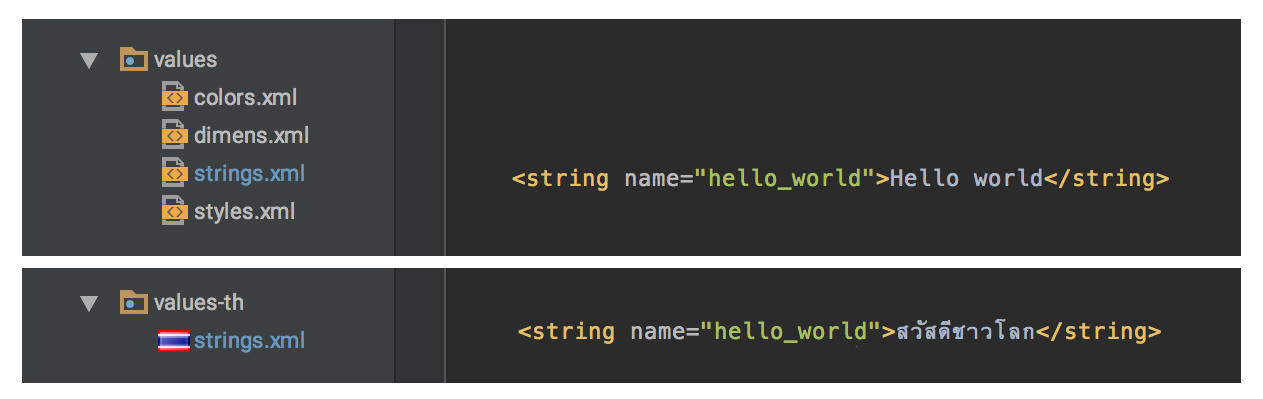
openclassCustomActivity : Activity(), OnLocaleChangedListener{privateval localizationDelegate =LocalizationActivityDelegate(this) publicoverridefunonCreate(savedInstanceState:Bundle?){localizationDelegate.addOnLocaleChangedListener(this) localizationDelegate.onCreate() super.onCreate(savedInstanceState) } publicoverridefunonResume(){super.onResume() localizationDelegate.onResume(this) } overridefunattachBaseContext(newBase:Context){applyOverrideConfiguration(localizationDelegate.updateConfigurationLocale(newBase)) super.attachBaseContext(newBase) } overridefungetApplicationContext(): Context{return localizationDelegate.getApplicationContext(super.getApplicationContext()) } overridefungetResources(): Resources{return localizationDelegate.getResources(super.getResources()) } funsetLanguage(language:String?){localizationDelegate.setLanguage(this, language!!) } funsetLanguage(locale:Locale?){localizationDelegate.setLanguage(this, locale!!) } val getCurrentLanguage:Locale= localizationDelegate.getLanguage(this) // Just override method locale change eventoverridefunonBeforeLocaleChanged(){} overridefunonAfterLocaleChanged(){} }Then prepare your multilingual content in string resource.
It have only 4 public methods.
funsetLanguage(language:String) funsetLanguage(language:String, country:Strinng) funsetLanguage(locale:Locale) fungetCurrentLanguage(): StringsetLanguage Set the language that you need to change.
For example
setLanguage("th") // Language : Thailand setLanguage("th", "TH") // Language : Thailand, Country : Thai setLanguage(Locale("th", "TH")) // Language : Thailand, Country : Thai setLanguage("en") // Language : English setLanguage("en", "GB") // Language : English, Country : Great Britain setLanguage("en", "US") // Language : English, Country : United States setLanguage(Locale("en", "US")) // Language : English, Country : United States setLanguage(Locale.KOREA) // Language : Korean, Country : Korea setLanguage(Locale.KOREAN) // Language : Korean setLanguage(Locale.CANADA_FRENCH) // Language : French, Country : CanadagetLanguage Get current language as string locale.
And 2 optional override methods.
funonBeforeLocaleChanged() funonAfterLocaleChanged()This override method will be useful when you need to know when language has changed.
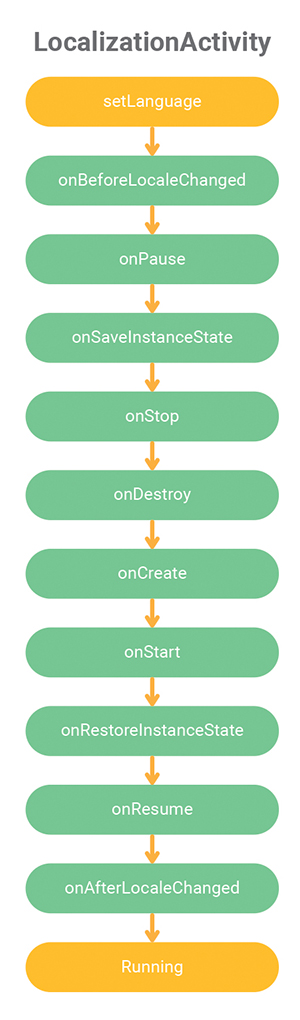
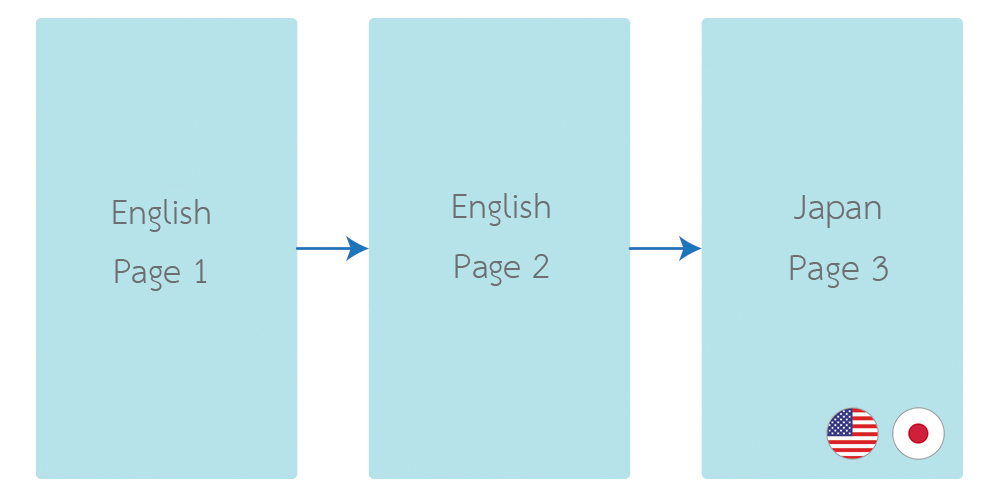
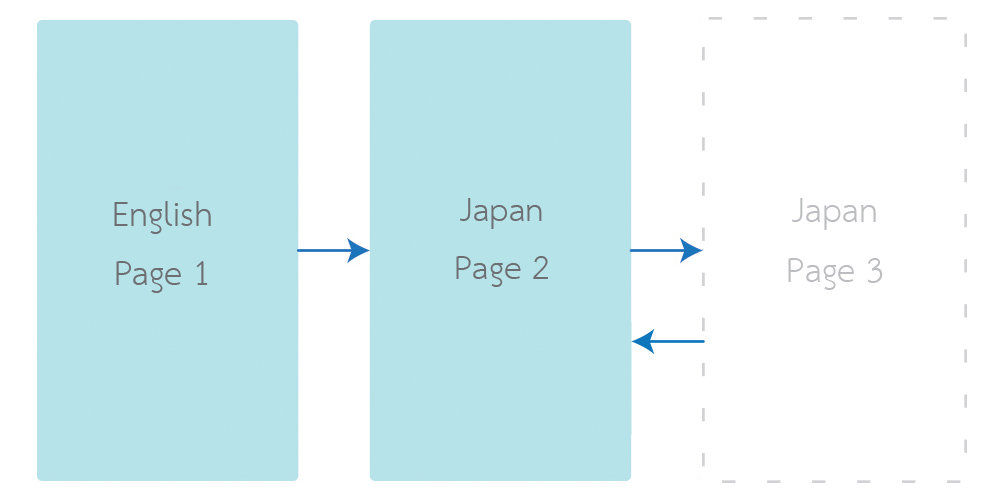
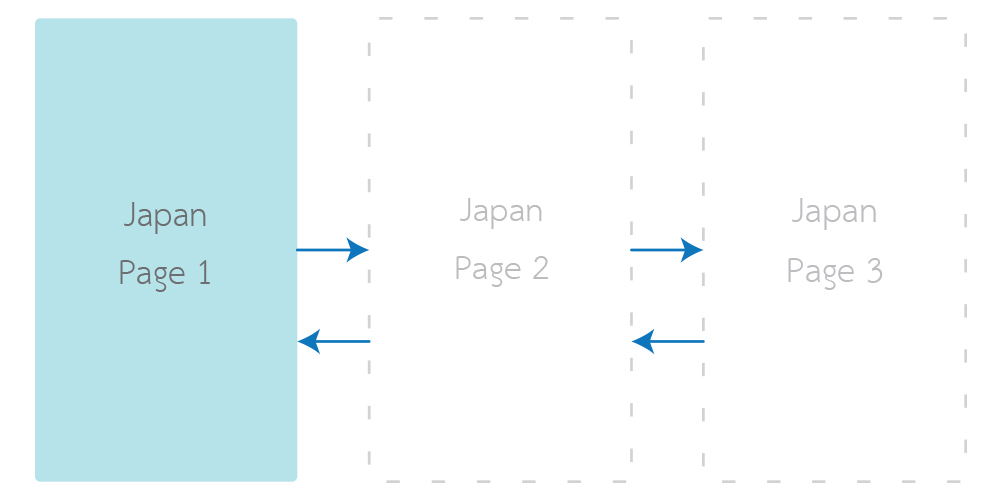
When setLanguage was called. Current active activity will be recreated to apply the new language.
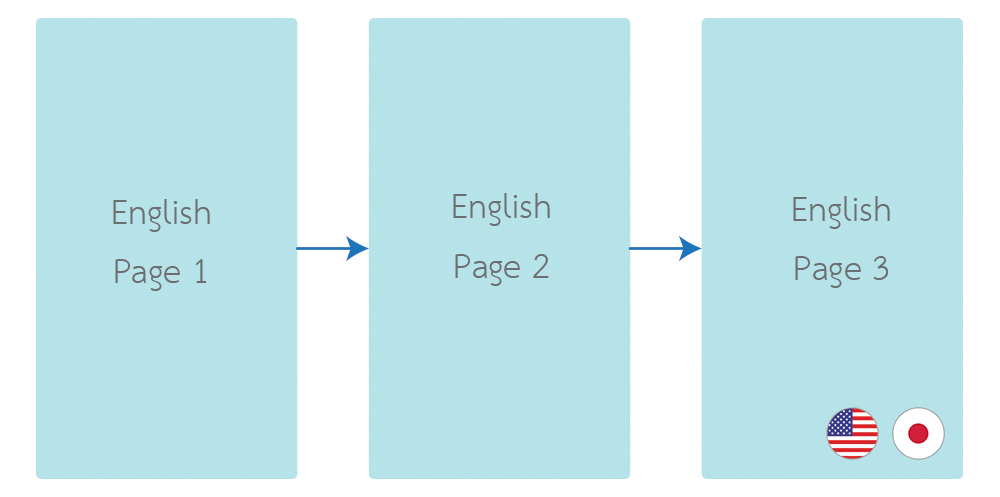
Previous activities in back stack does not change to new language immediately. Until it back to active activity again.
You have to call setTitle(resId) or getActionBar().setTitle(resId) in onCreate(onSavedInstanceState: Bundle) to apply the new language.
classMainActivity: LocalizationActivity(){overridefunonCreate(savedInstanceState:Bundle?){/* ... */ setTitle(R.string.main_activity_title) } }Activity will be recreate when language has changed as common behavior for configuration changes in Android. Any Activities or Fragments which hold the data should handle the state changes.
Language in fragment will depends on activity. So no need for additional code in Fragment.
Change the language by library can cause a crash to your app when you publishing your app with Android App Bundle with language resources optimization enabled.
To fix this, Using the Additional Languages API in Play Core library to download the additional language before.
For more information about Additional Language API : https://android-developers.googleblog.com/2019/03/the-latest-android-app-bundle-updates.html
If you don't want to implement this feature in your code, just ignore the language resources optimization by adding the Android App Bundle configuration in your app's build.gradle
android{/* ... */ bundle{language{enableSplit =false } } }Normally, there's no require the ProGuard rules for this library.
But if you want to exclude this library from obfuscate and shrinking. You also can add these code to proguard-rules.pro
-keep class com.akexorcist.localizationactivity.**{*} -dontwarn com.akexorcist.localizationactivity.** See CHANGELOG.md
Copyright 2021 Akexorcist
Licensed under the Apache License, Version 2.0 (the "License"); you may not use this work except in compliance with the License. You may obtain a copy of the License in the LICENSE file, or at:
http://www.apache.org/licenses/LICENSE-2.0
Unless required by applicable law or agreed to in writing, software distributed under the License is distributed on an "AS IS" BASIS, WITHOUT WARRANTIES OR CONDITIONS OF ANY KIND, either express or implied. See the License for the specific language governing permissions and limitations under the License.