This directive adds a parallax effect to ion-header, displaying a cover photo that transitions to a toolbar on scroll.
| Stack | Tag |
|---|---|
  | 6.x.x |
  | 5.x.x |
  | 4.x.x |
  | 3.x.x |
  | 2.x.x |
Checkout the Live Demo here
| iOS | Android |
|---|---|
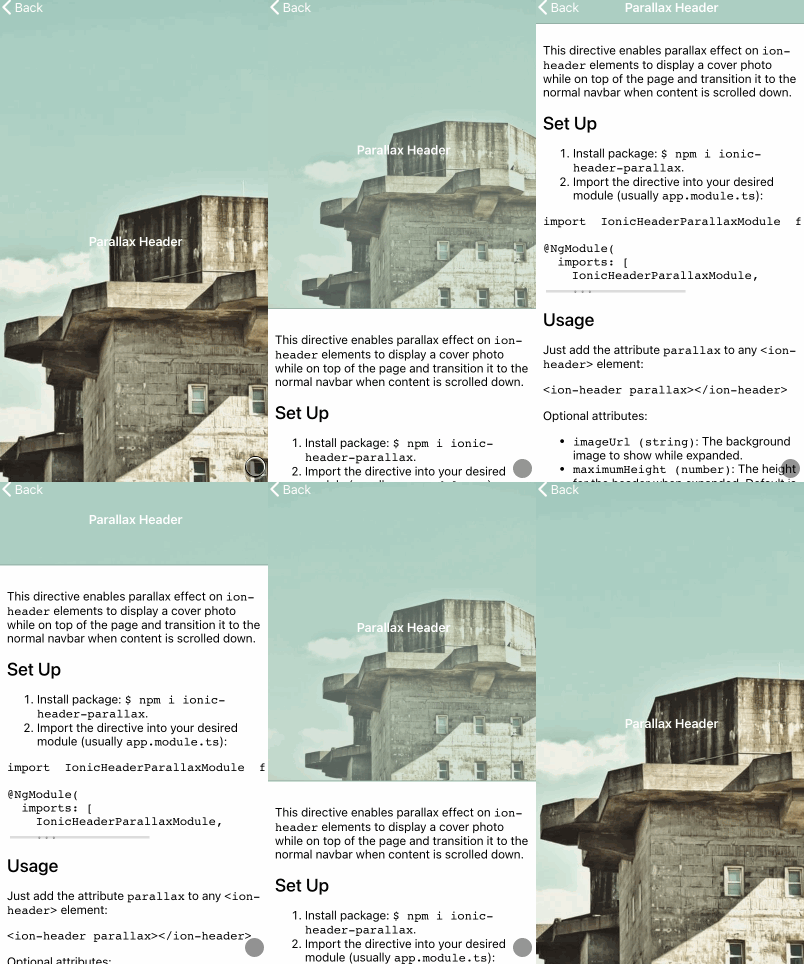 |  |
Install package:
npm i ionic-header-parallax.Import the directive into your desired Module:
// app.module.tsimport{IonicHeaderParallaxModule}from'ionic-header-parallax'; @NgModule({imports: [IonicHeaderParallaxModule,// <- ...
…or standalone Component:
// my-standalone-component.page.tsimport{ParallaxDirective}from'ionic-header-parallax'; @Component({imports: [ParallaxDirective,// <- ...
Just add the attribute parallax to any <ion-header> element:
<ion-headerparallaximageUrl="https://picsum.photos/350" height="350" bgPosition="top" ><ion-toolbarcolor="primary"><ion-title> Parallax Header </ion-title></ion-toolbar></ion-header><ion-content> Some content here </ion-content>| Parameter | Type | Description |
|---|---|---|
| imageUrl | string | The background image to show while expanded. |
| height | number | string | The height for the header when expanded. If the value is a number, it will be set in px. If the value is a string it will be passed as is (eg: "20rem") |
| color | string | The color (web hex formatted) to show while the header is expanded when no imageUrl is set. When scrolled, it will fade to the toolbar's color. |
| bgPosition | 'top' | 'center' | 'bottom' | The position of the image in the header. This parameter slightly changes the feeling of the animation. Default: 'top' |