Follow @ServiceStack for updates, or StackOverflow or the Customer Forums for support.
is a highly productive, feature-rich, typed .NET client which extends ServiceStack's Simple POCO life by enabling re-use of your code-first data models with Amazon's industrial strength and highly-scalable NoSQL DynamoDB.
PocoDynamo is conceptually similar to ServiceStack's other code-first OrmLite and Redis clients by providing a high-fidelity, managed client that enhances AWSSDK's low-level IAmazonDynamoDB client, with rich, native support for intuitively mapping your re-usable code-first POCO Data models into DynamoDB Data Types.

Built on top of PocoDynamo, AutoQuery Data'sDynamoDbSource provides the most productive development experience for effortlessly creating rich, queryable and optimized Services for DynamoDB data stores using only a typed Request DTO.
A quick CRUD preview of PocoDynaamo feature-rich high-level Typed client:
usingSystem;usingAmazon;usingAmazon.DynamoDBv2;usingServiceStack;usingServiceStack.Text;usingServiceStack.Aws.DynamoDb;usingServiceStack.DataAnnotations;varawsDb=newAmazonDynamoDBClient("keyId","key",newAmazonDynamoDBConfig{ServiceURL="http://localhost:8000"});vardb=newPocoDynamo(awsDb);publicclassTodo{[AutoIncrement]publiclongId{get;set;}publicstringContent{get;set;}publicintOrder{get;set;}publicboolDone{get;set;}}db.RegisterTable<Todo>();db.DeleteTable<Todo>();// Delete existing Todo Table (if any)db.InitSchema();// Creates Todo DynamoDB TablevarnewTodo=newTodo{Content="Learn PocoDynamo",Order=1};db.PutItem(newTodo);varsavedTodo=db.GetItem<Todo>(newTodo.Id);"Saved Todo:{0}".Print(savedTodo.Dump());savedTodo.Done=true;db.PutItem(savedTodo);varupdatedTodo=db.GetItem<Todo>(newTodo.Id);"Updated Todo:{0}".Print(updatedTodo.Dump());db.DeleteItem<Todo>(newTodo.Id);varremainingTodos=db.GetAll<Todo>();"No more Todos:{0}".Print(remainingTodos.Dump());PocoDynamo provides an idiomatic API that leverages .NET advanced language features with streaming API's returning IEnumerable<T> lazily evaluated responses that transparently performs multi-paged requests behind-the-scenes whilst the resultset is iterated. It high-level API's provides a clean lightweight adapter to transparently map between .NET built-in data types and DynamoDB's low-level attribute values. Its efficient batched API's take advantage of DynamoDB's BatchWriteItem and BatchGetItem batch operations to perform the minimum number of requests required to implement each API.
PocoDynamo also provides rich, typed LINQ-like querying support for constructing DynamoDB Query and Scan operations, dramatically reducing the effort to query DynamoDB, enhancing readability whilst benefiting from Type safety in .NET.
Behind the scenes DynamoDB is built on a dynamic schema which whilst open and flexible, can be cumbersome to work with directly in typed languages like C#. PocoDynamo bridges the gap and lets your app bind to impl-free and declarative POCO data models that provide an ideal high-level abstraction for your business logic, hiding a lot of the complexity of working with DynamoDB - dramatically reducing the code and effort required whilst increasing the readability and maintainability of your Apps business logic.
It includes optimal support for defining simple local indexes which only require declaratively annotating properties to index with an [Index] attribute.
Typed POCO Data Models can be used to define more complex Local and Global DynamoDB Indexes by implementing IGlobalIndex<Poco> or ILocalIndex<Poco> interfaces which PocoDynamo uses along with the POCOs class structure to construct Table indexes at the same time it creates the tables.
In this way the Type is used as a DSL to define DynamoDB indexes where the definition of the index is decoupled from the imperative code required to create and query it, reducing the effort to create them whilst improving the visualization and understanding of your DynamoDB architecture which can be inferred at a glance from the POCO's Type definition. PocoDynamo also includes first-class support for constructing and querying Global and Local Indexes using a familiar, typed LINQ provider.
Each operation is called within a managed execution which transparently absorbs the variance in cloud services reliability with automatic retries of temporary errors, using an exponential backoff as recommended by Amazon.
PocoDynamo API's are a lightweight layer modeled after DynamoDB API's making it predictable the DynamoDB operations each API calls under the hood, retaining your existing knowledge investment in DynamoDB. When more flexibility is needed you can access the low-level AmazonDynamoDBclient from the IPocoDynamo.DynamoDb` property and talk with it directly.
Whilst PocoDynamo doesn't save you for needing to learn DynamoDB, its deep integration with .NET and rich support for POCO's smoothes out the impedance mismatches to enable an type-safe, idiomatic, productive development experience.
PocoDynamo includes its own high-level features to improve the re-usability of your POCO models and the development experience of working with DynamoDB with support for Auto Incrementing sequences, Query expression builders, auto escaping and converting of Reserved Words to placeholder values, configurable converters, scoped client configurations, related items, conventions, aliases, dep-free data annotation attributes and more.
PocoDynamo is contained in ServiceStack's AWS NuGet package:
PM> Install-Package ServiceStack.Aws PocoDynamo has a 10 Tables free-quota usage limit which can be unlocked with a commercial license key.
To get started we'll need to create an instance of AmazonDynamoDBClient with your AWS credentials and Region info:
varawsDb=newAmazonDynamoDBClient(AWS_ACCESS_KEY,AWS_SECRET_KEY,RegionEndpoint.USEast1);Then to create a PocoDynamo client pass the configured AmazonDynamoDBClient instance above:
vardb=newPocoDynamo(awsDb);Clients are Thread-Safe so you can register them as a singleton and share the same instance throughout your App
The Source Code for PocoDynamo is maintained in ServiceStack.Aws repository.
It's recommended to download local DynamoDB as it lets you develop against a local DynamoDB instance, saving you needing a network connection or AWS account.
You can connect to your local DynamoDB instance by configuring the AmazonDynamoDBClient to point to the default url where Local DynamoDB instance is running:
varawsDb=newAmazonDynamoDBClient("keyId","key",newAmazonDynamoDBConfig{ServiceURL="http://localhost:8000",});vardb=newPocoDynamo(awsDb);We've found the latest version of Local DynamoDB to be a robust and fast substitute for AWS, that eliminates waiting times for things like creating and dropping tables whilst only slightly deviating from the capabilities of AWS where it doesn't always include the additional limitations imposed when hosted on AWS.
To illustrate how PocoDynamo simplifies working with DynamoDB, we'll walk-through creating and retrieving the Simple Todo model used in the DynamoDB-powered AWS Todo Example and compare it against the code required when using AWSSDK's IAmazonDynamoDB client directly.
The simple Todo POCO is the same data model used to store TODO's in every major RDBMS's with OrmLite, in Redis with ServiceStack.Redis as well as every supported Caching provider.
PocoDynamo increases the re-use of Todo again which can now be used to store TODO's in DynamoDB as well:
publicclassTodo{[AutoIncrement]publiclongId{get;set;}publicstringContent{get;set;}publicintOrder{get;set;}publicboolDone{get;set;}}PocoDynamo enables a declarative code-first approach where it's able to create DynamoDB Table schemas from just your POCO class definition. Whilst you could call db.CreateTable<Todo>() API and create the Table directly, the recommended approach is instead to register all the tables your App uses with PocoDynamo on Startup, then just call InitSchema() which will go through and create all missing tables:
//PocoDynamovardb=newPocoDynamo(awsDb).RegisterTable<Todo>();db.InitSchema();db.GetTableNames().PrintDump();In this way your App ends up in the same state with all tables created if it was started with no tables, all tables or only a partial list of tables. After the tables are created we query DynamoDB to dump its entire list of Tables, which if you started with an empty DynamoDB instance would print the single Todo table name to the Console:
[ Todo ] Before going through the details of how it all works under-the-hood, here's a quick overview of what it looks likes to use PocoDynamo for developing a simple CRUD App. The ServiceStack TodoService below contains the full server implementation required to implement the REST API to power Backbone's famous TODO App, rewritten to store all TODO items in DynamoDB:
//PocoDynamopublicclassTodoService:Service{publicIPocoDynamoDynamo{get;set;}publicobjectGet(Todotodo){if(todo.Id!=default(long))returnDynamo.GetItem<Todo>(todo.Id);returnDynamo.GetAll<Todo>();}publicTodoPost(Todotodo){Dynamo.PutItem(todo);returntodo;}publicTodoPut(Todotodo){returnPost(todo);}publicvoidDelete(Todotodo){Dynamo.DeleteItem<Todo>(todo.Id);}}We can see IPocoDynamo is just a normal IOC dependency that provides high-level API's that work directly with POCO's and built-in .NET data types, enabling the minimum effort to store, get and delete data from DynamoDB.
The equivalent imperative code to create the Todo DynamoDB table above would require creating executing the CreateTableRequest below:
//AWSSDKvarrequest=newCreateTableRequest{TableName="Todo",KeySchema=newList<KeySchemaElement>{newKeySchemaElement("Id",KeyType.HASH),},AttributeDefinitions=newList<AttributeDefinition>{newAttributeDefinition("Id",ScalarAttributeType.N),},ProvisionedThroughput=newProvisionedThroughput{ReadCapacityUnits=10,WriteCapacityUnits=5,}};awsDb.CreateTable(request);DynamoDB Tables take a little while to create in AWS so we can't use it immediately, instead you'll need to periodically poll to check the status for when it's ready:
//AWSSDKvarstartAt=DateTime.UtcNow;vartimeout=TimeSpan.FromSeconds(60);do{try{vardescResponse=awsDb.DescribeTable("Todo");if(descResponse.Table.TableStatus==DynamoStatus.Active)break;Thread.Sleep(TimeSpan.FromSeconds(2));}catch(ResourceNotFoundException){// DescribeTable is eventually consistent. So you might get resource not found.}if(DateTime.UtcNow-startAt>timeout)thrownewTimeoutException("Exceeded timeout of{0}".Fmt(timeout));}while(true);Once the table is Active we can start using it, to get the list of table names we send a ListTablesRequest:
//AWSSDKvarlistResponse=awsDb.ListTables(newListTablesRequest());vartableNames=listResponse.TableNames;tableNames.PrintDump();As we can see using the AmazonDynamoDBClient directly requires a lot more imperative code, but it also ends up doing a lot less. We've not included the logic to query existing tables so only the missing tables are created, we've not implemented any error handling or Retry logic (important for Cloud Services) and we're not checking to make sure we've collected the entire list of results (implementing paging when necessary).
Whereas every request in PocoDynamo is invoked inside a managed execution where any temporary errors are retried using the AWS recommended retries exponential backoff.
All PocoDynamo API's returning IEnumerable<T> returns a lazy evaluated stream which behind-the-scenes sends multiple paged requests as needed whilst the sequence is being iterated. As LINQ API's are also lazily evaluated you could use Take() to only download the exact number results you need. So you can query the first 100 table names with:
//PocoDynamovarfirst100TableNames=db.GetTableNames().Take(100).ToList();and PocoDynamo will only make the minimum number of requests required to fetch the first 100 results.
Once the Todo table is created we can start adding TODOs to it. If we were using OrmLite. the [AutoIncrement] attribute lets us use the RDBMS's native support for auto incrementing sequences to populate the Id primary key. Unfortunately DynamoDB lacks an auto increment feature and instead recommends the user to supply a unique key as shown in their DynamoDB Forum example where they've chosen a Forum Name as the Hash Key of the Forum and Thread tables, whilst the Reply comment uses a concatenation of ForumName + # + ThreadSubject as its Hash Key and the ReplyDateTime for the Range Key.
However auto incrementing Ids have a number of useful properties making it ideal for identifying data:
- Unique - Each new item is guaranteed to have a unique Id that's higher than all Ids before it
- Sequential - A useful property to ensure consistent results when paging or ordering
- Never change - To ensure a constant key that never changes, Ids shouldn't contain data it references
- Easy to read - Humans have a better chance to read and remember a number than a concatenated string
- Easy to reference - It's easier to reference a predictable numeric field than a concatenated string
They're also more re-usable as most data stores have native support for integer primary keys. For these reasons we've added support for Auto-Incrementing integer primary keys in PocoDynamo where Ids annotated with [AutoIncrement] attribute are automatically populated with the next id in its sequence.
The Auto Incrementing functionality is provided by the ISequenceSource interface:
publicinterfaceISequenceSource:IRequiresSchema{longIncrement(stringkey,intamount=1);voidReset(stringkey,intstartingAt=0);}The default implementation uses DynamoDbSequenceGenerator which stores sequences for each table in the Seq DynamoDB Table so no additional services are required. To ensure unique incrementing sequences in DynamoDB, PocoDynamo uses UpdateItemRequest's AttributeValueUpdate feature to perform atomic value updates. PocoDynamo sequences are also very efficient and only require a single DynamoDB call to populate a batch of Primary Key Ids which are also guaranteed to be in order (and without gaps) for batches that are stored together.
If preferred you can instead instruct PocoDynamo to maintain sequences in Redis using RedisSequenceSource or alternatively inject your own implementation which can be configured in PocoDynamo with:
vardb=newPocoDynamo(awsDb){Sequences=newRedisSequenceSource(redisManager),};As we can take advantage of Auto Incrementing Id's, storing Items becomes as simple as creating a number of POCO's and calling PutItems:
//PocoDynamovartodos=100.Times(i =>newTodo{Content="TODO "+i,Order=i});db.PutItems(todos);To do this manually with AmazonDynamoDBClient you'd need to create and UpdateItemRequest to update the counter maintaining your TODO sequences:
//AWSSDKvarincrRequest=newUpdateItemRequest{TableName="Seq",Key=newDictionary<string,AttributeValue>{{"Id",newAttributeValue{S="Todo"}}},AttributeUpdates=newDictionary<string,AttributeValueUpdate>{{"Counter",newAttributeValueUpdate{Action=AttributeAction.ADD,Value=newAttributeValue{N="100"}}}},ReturnValues=ReturnValue.ALL_NEW,};varresponse=awsDb.UpdateItem(incrRequest);varnextSequences=Convert.ToInt64(response.Attributes["Counter"].N);After you know which sequence to start with you can start putting items using a Dictionary of Attribute Values:
//AWSSDKfor(inti=0;i<100;i++){varputRequest=newPutItemRequest("Todo",newDictionary<string,AttributeValue>{{"Id",newAttributeValue{N=(nextSequences-100+i).ToString()}},{"Content",newAttributeValue("TODO "+i)},{"Order",newAttributeValue{N=i.ToString()}},{"Done",newAttributeValue{BOOL=false}},});awsDb.PutItem(putRequest);}Although even without the managed execution this still isn't equivalent to PocoDynamo's example above as to store multiple items efficiently PocoDynamo PutItems() API batches multiple Items in 4x BatchWriteItemRequest behind-the-scenes, the minimum number needed due to DynamoDB's maximum Write Batch size limit of 25 requests.
Getting an item just requires the Generic Type and the primary key of the item to fetch:
vartodo=db.GetItem<Todo>(1);todo.PrintDump();Which returns the Todo item if it exists, or null if it doesn't.
Fetching all table items is where an understanding of DynamoDB's architecture and its limits become important. DynamoDB achieves its scalability by partitioning your data across multiple partitions based on its hash Key (aka Primary Key). This means that the only way to efficiently query across data containing multiple primary keys is to either explicitly create a Global Secondary Index or perform a full-table Scan.
However table scans in DynamoDB are more inefficient than full table scans in RDBMS's since it has to scan across multiple partitions which can quickly use up your table's provisioned throughput, as such scans should be limited to low usage areas.
With that said, you can do Table Scans in PocoDynamo using API's starting with Scan* prefix, e.g. to return all Todo items:
//PocoDynamoIEnumerable<Todo>todos=db.ScanAll<Todo>();As IEnumerable's are lazily executed, it only starts sending ScanRequest to fetch all Items once the IEnumerable is iterated, which it does in batches of 1000 (configurable with PocoDynamo.PagingLimit).
To fetch all items you can just call ToList():
varallTodos=todos.ToList();allTodos.PrintDump();Which incidentally is also just what db.GetAll<Todo>() does.
To fetch the same single item with the AWSSDK client you'd construct and send a GetItemRequest, e.g:
//AWSSDKvarrequest=newGetItemRequest{TableName="Todo",Key=newDictionary<string,AttributeValue>{{"Id",newAttributeValue{N="1"}}},ConsistentRead=true,};varresponse=awsDb.GetItem(request);vartodo=newTodo{Id=Convert.ToInt64(response.Item["Id"].N),Content=response.Item["Content"].S,Order=Convert.ToInt32(response.Item["Order"].N),Done=response.Item["Done"].BOOL,};Although this is a little fragile as it doesn't handle the case when attributes (aka Properties) or the item doesn't exist.
Doing a full-table scan is pretty straight-forward although as you're scanning the entire table you'll want to implement the paging to scan through all items, which looks like:
//AWSSDKvarrequest=newScanRequest{TableName="Todo",Limit=1000,};varallTodos=newList<Todo>();ScanResponseresponse=null;do{if(response!=null)request.ExclusiveStartKey=response.LastEvaluatedKey;response=awsDb.Scan(request);foreach(variteminresponse.Items){vartodo=newTodo{Id=Convert.ToInt64(item["Id"].N),Content=item["Content"].S,Order=Convert.ToInt32(item["Order"].N),Done=item["Done"].BOOL,};allTodos.Add(todo);}}while(response.LastEvaluatedKey!=null&&response.LastEvaluatedKey.Count>0);allTodos.PrintDump();Deleting an item is similar to getting an item which just needs the generic type and primary key:
//PocoDynamodb.DeleteItem<Todo>(1);Which just sends a DeleteItemRequest to delete the Item:
//AWSSDKvarrequest=newDeleteItemRequest{TableName="Todo",Key=newDictionary<string,AttributeValue>{{"Id",newAttributeValue{N="1"}}},};awsDb.DeleteItem(request);The simplest usage is to pass in a partially populated POCO where any Hash or Range Keys are added to the Key Condition and any non-default values are replaced. E.g the query below updates the Customer's Age to 42:
db.UpdateItemNonDefaults(newCustomer{Id=customer.Id,Age=42});DynamoDB's UpdateItem supports 3 different operation types:
PUTto replace an Attribute ValueADDto add to an existing Attribute ValueDELETEto delete the specified Attributes
Examples of all 3 are contained in the examples below which changes the Customer's Nationality to Australian, reduces their Age by 1 and deletes their Name and Orders:
db.UpdateItem(customer.Id,put:()=>newCustomer{Nationality="Australian"},add:()=>newCustomer{Age=-1},delete: x =>new{x.Name,x.Orders});The same Typed API above is also available in the more flexible and untyped form below:
db.UpdateItem<Customer>(newDynamoUpdateItem{Hash=customer.Id,Put=newDictionary<string,object>{{"Nationality","Australian"},},Add=newDictionary<string,object>{{"Age",-1}},Delete=new[]{"Name","Orders"},});PocoDynamo also has Typed API support for DynamoDB Conitional Expressions by using the Condition() API, e.g:
varq=db.UpdateExpression<Customer>(customer.Id).Set(()=>newCustomer{Nationality="Australian"}).Add(()=>newCustomer{Age=decrBy}).Remove(x =>new{x.Name,x.Orders}).Condition(x =>x.Age==27);varsucceeded=db.UpdateItem(q);The simple Todo example should give you a feel for using PocoDynamo to handle basic CRUD operations. Another area where PocoDynamo adds a lot of value which can be fairly cumbersome to do without, is in creating Query and Scan requests to query data in DynamoDB Tables.
The query functionality in PocoDynamo is available on the QueryExpression<T> class which is used as a typed query builder to construct your Query request. An important attribute about QueryExpression's are that they inherit AWSSDK's QueryRequest Request DTO.
This provides a number of benefits, they're easy to use and highly introspectable since each API just populates different fields in the Request DTO. They're also highly reusable as QueryExpressions can be executed as-is in AWSSDK DynamoDB client and vice-versa with PocoDynamo's Query API's executing both QueryExpression<T> and QueryRequest DTOs. The difference with PocoDynamo's Query API is that they provide managed exeuction, lazy evaluation, paged queries and auto-conversion of dynamic results into typed POCOs.
DynamoDB Query's enable efficient querying of data in DynamoDB as it's limited to querying the indexed Hash and Range Keys on your Tables or Table Indexes. Although it has the major limitation that it always needs to specify a Hash condition, essentially forcing the query to be scoped to a single partition. This makes it fairly useless for Tables with only a single Hash Primary Key like Todo as the query condition will always limit to a maximum of 1 result.
Nevertheless we can still use it to show how to perform server-side queries with PocoDynamo. To create a QueryExpression use the FromQuery* API's. It accepts a KeyConditionExpression as the first argument given it's a mandatory requirement for Query Requests which uses it to identify the partition the query should be executed on:
varq=db.FromQuery<Todo>(x =>x.Id==1);PocoDynamo parses this lambda expression to return a populated QueryExpression<Todo> which you can inspect to find the TableName set to Todo and the KeyConditionExpression set to (Id = :k0) with the ExpressionAttributeValues Dictionary containing a Numeric value of 1 for the key :k0.
From here you can continue constructing the QueryRequest DTO by populating its properties directly or by calling QueryExpression high-level methods (modeled after the properties they populate), e.g. the KeyCondition() method populates the KeyConditionExpression property, Filter() populates the FilterExpression property and any arguments used in any expression are automatically parameterized and added to the ExpressionAttributeValues collection:
varq=db.FromQuery<Todo>().KeyCondition(x =>x.Id==1)//Equivalent to: db.FromQuery<Todo>(x => x.Id == 1).Filter(x =>x.Done);q.TableName// Todoq.KeyConditionExpression // (Id = :k0) q.FilterExpression // Done = :true q.ExpressionAttributeValues // :k0 = AttributeValue{N=1}, :true = AttributeValue{BOOL=true}Filter expressions are applied after the query is executed which enable more flexible querying as they're not just limited to key fields and can be used to query any field to further filter the returned resultset.
After you've finished populating the Request DTO it can be executed with PocoDynamo's Query(). This returns a lazily evaluated resultset which you can use LINQ methods on to fetch the results. Given the primary key condition we know this will only return 0 or 1 rows based on whether or not the TODO has been completed which we can check with by calling LINQ's FirstOrDefault() method:
vartodo1Done=db.Query(q).FirstOrDefault();Where todo1Done will hold the populated Todo if it was marked done, otherwise it will be null.
Most QueryExpression methods returns itself and an alternative to calling Query on PocoDynamo (or AWSSDK) to execute the Query, you can instead call the Exec() alias. This allows you to create and execute your DynamoDb Query in a single expression which can instead be rewritten as:
vartodo1Done=db.FromQuery<Todo>(x =>x.Id==1).Filter(x =>x.Done).Exec().FirstOrDefault();Scan Operations work very similar to Query Operations but instead of using a QueryExpression<T> you would instead use a ScanExpression<T> which as it inherits from AWSSDK's ScanRequest Request DTO, provides the same reuse benefits as QueryExpression's.
To create a Scan Request you would use the FromScan<T> API, e.g:
varq=db.FromScan<Todo>();More examples of how to use typed LINQ expressions for creating and executing Query and Scan requests are described later.
DynamoDB Queries are ideally suited for when the dataset is naturally isolated, e.g. multi-tenant Apps that are centered around Customer data so any related records are able to share the same CustomerId Hash Key.
PocoDynamo has good support for maintaining related data which can re-use the same Data Annotations used to define POCO relationships in OrmLite, often letting you reuse your existing OrmLite RDBMS data models in DynamoDB as well.
To illustrate how to use PocoDynamo to maintain related data we'll walk through a typical Customer and Orders example:
publicclassCustomer{[AutoIncrement]publicintId{get;set;}publicstringName{get;set;}publicCustomerAddressPrimaryAddress{get;set;}}publicclassCustomerAddress{[AutoIncrement]publicintId{get;set;}publicstringAddress{get;set;}publicstringState{get;set;}publicstringCountry{get;set;}}[Alias("CustomerOrder")]publicclassOrder{[AutoIncrement]publicintId{get;set;}[References(typeof(Customer))]publicintCustomerId{get;set;}publicstringProduct{get;set;}publicintQty{get;set;}[Index]publicvirtualdecimalCost{get;set;}}In order to use them we need to tell PocoDynamo which of the Types are Tables that it should create in DynamoDB which we can do by registering them with PocoDynamo then calling InitSchema() which will go through and create any of the tables that don't yet exist in DynamoDB:
db=newPocoDynamo(awsDb).RegisterTable<Customer>().RegisterTable<Order>();db.InitSchema();InitSchema() will also wait until the tables have been created so they're immediately accessible afterwards. As creating DynamoDB tables can take upwards of a minute in AWS you can use the alternative Async APIs if you wanted to continue to doing other stuff whilst the tables are being created in AWS, e.g:
vartask=db.InitSchemaAsync();// do other stuff...awaittask;After the tables are created we can insert the top-level Customer record as normal:
varcustomer=newCustomer{Name="Customer",PrimaryAddress=newCustomerAddress{Address="1 road",State="NT",Country="Australia",}};db.PutItem(customer);Before adding the record, PocoDynamo also populates any [AutoIncrement] properties with the next number in the sequence for that Type. Any complex types stored on the Customer POCO like CustomerAddress gets persisted along with the containing Customer entry and converted into a Map of DynamoDB Attribute Value pairs. We can view the DynamoDB Web Console to see how this is stored in DynamoDB:
You can define a related table using the [References] attribute to tell PocoDynamo what the parent table is, e.g:
[Alias("CustomerOrder")]publicclassOrder{[AutoIncrement]publicintId{get;set;}[References(typeof(Customer))]publicintCustomerId{get;set;}//...}Which PocoDynamo infers to create the table using the parent's CustomerId as its Hash Key, relegating its Id as the Range Key for the table. This ensures the Order is kept in the same partition as all other related Customer Data, necessary in order to efficiently query a Customer's Orders. When both the Hash and Range Key are defined they're treated as the Composite Key for that table which needs to be unique for each item - guaranteed when using [AutoIncrement] Id's.
After the table is created we can generate and insert random orders like any other table, e.g:
varorders=10.Times(i =>newOrder{CustomerId=customer.Id,Product="Item "+(i%2==0?"A":"B"),Qty=i+2,Cost=(i+2)*2});db.PutItems(orders);You can also use the alternative PutRelatedItems() API and get PocoDynamo to take care of populating the CustomerId:
varorders=10.Times(i =>newOrder{Product="Item "+(i%2==0?"A":"B"),Qty=i+2,Cost=(i+2)*2});db.PutRelatedItems(customer.Id,orders);Both examples results in the same data being inserted into the CustomerOrder DynamoDB table:
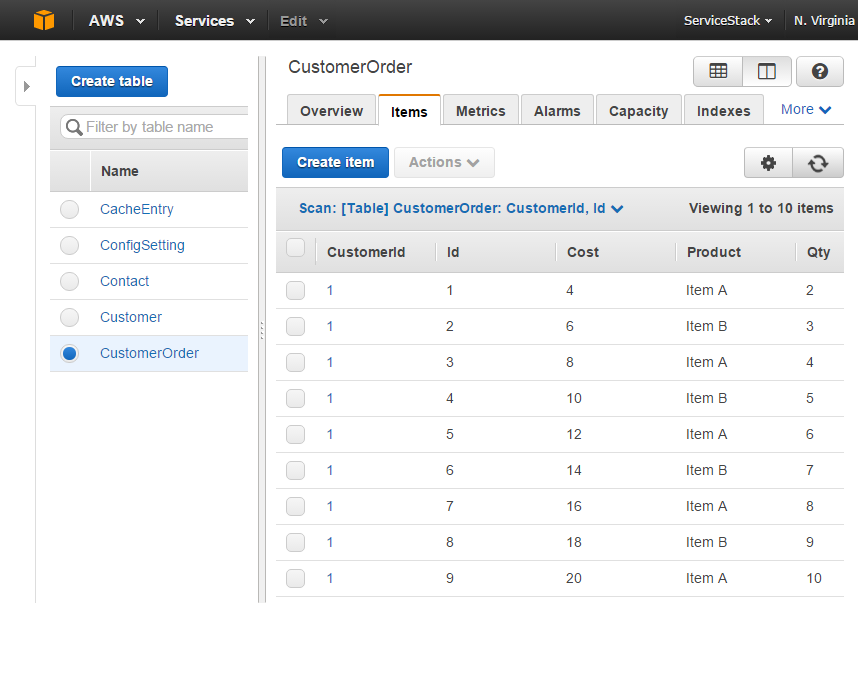
This also shows how the [Alias] attribute can be used to rename the Order Type as CustomerOrder in DynamoDB.
Now we have related data we can start querying it, something you may want to do is fetch all Customer Orders:
varq=db.FromQuery<Order>(x =>x.CustomerId==customer.Id);vardbOrders=db.Query(q);As getting related Items for a Hash Key is a popular query, it has an explicit API:
vardbOrders=db.GetRelatedItems<Order>(customer.Id);We can refine the query further by specifying a FilterExpression to limit the results DynamoDB returns:
varexpensiveOrders=q.Clone().Filter(x =>x.Cost>10).Exec();Using
Clone()will create and modify a copy of the query, leaving the original one intact.
But filters aren't performed on an Index and can be inefficient if your table has millions of customer rows. By default only the Hash and Range Key are indexed, in order to efficiently query any other field you will need to create a Local Secondary Index for it.
This is easily done in PocoDynamo by annotating the properties you want indexed with the [Index] attribute:
publicclassOrder{//... [Index]publicdecimalCost{get;set;}}Which tells PocoDynamo to create a Local Secondary Index for the Cost property when it creates the table.
When one exists, you can query a Local Index with LocalIndex():
varexpensiveOrders=q.LocalIndex(x =>x.Cost>10).Exec();Which now performs the Cost query on an index. Although this only returns a partially populated Order, specifically with just the Hash Key (CustomerId), Range Key (Id) and the field that's indexed (Cost):
expensiveOrders.PrintDump(); [{Id: 5, CustomerId: 1, Qty: 0, Cost: 12 }, //... ] This is due to Local Secondary Indexes being just denormalized tables behind the scenes which by default only returns re-projected fields that were defined when the Index was created.
One way to return populated orders is to specify a custom ProjectionExpression with the fields you want returned. E.g. You can create a request with a populated ProjectionExpression that returns all Order fields with:
varexpensiveOrders=q.LocalIndex(x =>x.Cost>10).Select<Order>()//Equivalent to: SelectTableFields().Exec();Which now returns:
expensiveOrders.PrintDump(); [{Id: 5, CustomerId: 1, Product: Item A, Qty: 6, Cost: 12 }, //... ] Using a custom ProjectionExpression is an easy work-around, although for it to work DynamoDB needs to consult the primary table to fetch the missing fields for each item. For large tables that are frequently accessed, the query can be made more efficient by projecting the fields you want returned when the Index is created.
You can can tell PocoDynamo which additional fields it should reproject by creating a Typed Local Index which is just a POCO implementing ILocalIndex<T> containing all the fields the index should contain, e.g:
publicclassOrderCostLocalIndex:ILocalIndex<Order>{[Index]publicdecimalCost{get;set;}publicintCustomerId{get;set;}publicintId{get;set;}publicintQty{get;set;}}[References(typeof(OrderCostLocalIndex))]publicclassOrder{ ...}Then use the [References] attribute to register the Typed Index so PocoDynamo knows which additional indexes needs to be created with the table. The [Index] attribute is used to specify which field is indexed (Range Key) whilst the CustomerId is automatically used the Hash Key for the Local Index Table.
To query a typed Index, use FromQueryIndex<T>() which returns a populated Query Request with the Table and Index Name. As Cost is now the Range Key of the Local Index table it can be queried together with the CustomerId Hash Key in the Key Condition expression:
List<OrderCostLocalIndex>expensiveOrderIndexes=db.FromQueryIndex<OrderCostLocalIndex>(x =>x.CustomerId==customer.Id&&x.Cost>10).Exec();This returns a list of populated indexes that now includes the Qty field:
expensiveOrderIndexes.PrintDump(); [{Cost: 12, CustomerId: 1, Id: 5, Qty: 6 }, //... ] If preferred you can easily convert Typed Index into Orders by using ServiceStack's built-in Auto-Mapping, e.g:
List<Order>expensiveOrders=expensiveOrderIndexes.Map(x =>x.ConvertTo<Order>());The major limitation of Local Indexes is that they're limited to querying data in the same partition (Hash Key). To efficiently query an index spanning the entire dataset, you need to instead use a Global Secondary Index.
Support for Global Indexes in PocoDynamo is similar to Typed Local Indexes, but instead implements IGlobalIndex<T>. They also free you to choose a new Hash Key, letting you create an Index spanning all Customers.
For example we can create a global index that lets us search the cost across all orders containing a particular product:
publicclassOrderCostGlobalIndex:IGlobalIndex<Order>{[HashKey]publicstringProduct{get;set;}[Index]publicdecimalCost{get;set;}publicintCustomerId{get;set;}publicintQty{get;set;}publicintId{get;set;}}[References(typeof(OrderCostGlobalIndex))]publicclassOrder{ ...}Our Key Condition can now instead query Product and Cost fields across all Customer Orders:
varexpensiveItemAOrders=db.FromQueryIndex<OrderCostGlobalIndex>(x =>x.Product=="Item A"&&x.Cost>10).Exec();Which will print all Item A Orders with a Cost > 10:
expensiveItemAOrders.PrintDump(); [{Product: Item A, Cost: 12, CustomerId: 1, Qty: 6, Id: 5 }, //... ] You'll want to just use queries for any frequently accessed code running in production, although the full querying flexibility available in full table scan requests can be useful for ad hoc querying and to speed up development cycles by initially starting with Scan queries then when the data requirements for your App's have been finalized, rewrite them to use indexes and queries.
To create Scan Requests you instead call the FromScan* API's, e.g:
varallOrders=db.ScanAll<Order>();varexpensiveOrders=db.FromScan<Order>(x =>x.Cost>10).Exec();You can also perform scans on Global Indexes, but unlike queries they don't need to be limited to the Hash Key:
varexpensiveOrderIndexes=db.FromScanIndex<OrderCostGlobalIndex>(x =>x.Cost>10).Exec();Just like QueryExpression<T> the populated ScanExpression<T> inherits from AWSSDK's ScanRequest enabling the same re-use benefits for ScanRequest as they do for QueryRequest's.
Both Scans and Query expressions benefit from a Typed LINQ-like expression API which can be used to populate the DTO's
- KeyConditionExpression - for specifying conditions on tables Hash and Range keys (only: QueryRequest)
- FilterExpression - for specifying conditions to filter results on other fields
- ProjectionExpression - to specify any custom fields (default: all fields)
Each QueryRequest needs to provide a key condition which can be done when creating the QueryExpression:
varorders=db.FromQuery<Order>(x =>x.CustomerId==1).Exec();// Alternative explicit APIvarexpensiveOrders=db.FromQuery<Order>().KeyCondition(x =>x.CustomerId==1).Exec();Whilst every condition on a ScanRequest is added to the FilterExpression:
varexpensiveOrders=db.FromScan<Order>(x =>x.Cost>10).Exec();// Alternative explicit APIvarexpensiveOrders=db.FromScan<Order>().Filter(x =>x.Cost>10).Exec();Calling Exec() returns a lazily executed response which transparently sends multiple paged requests to fetch the results as needed, e.g calling LINQ's .FirstOrDefault() only makes a single request whilst .ToList() fetches the entire resultset. All streaming IEnumerable<T> requests are sent with the configured PagingLimit (default: 1000).
Several of PocoDynamo API's have overloads that let you specify a custom limit. API's with limits are instead executed immediately with the limit specified and returned in a concrete List:
List<Order>expensiveOrders=db.FromScan<Order>().Filter(x =>x.Cost>10).Exec(limit:5);There are also custom overloads that can be used to execute a custom expression when more flexibility is needed:
// Querying by Custom Filter Condition with anon argsvarexpensiveOrders=db.FromScan<Order>().Filter("Cost > :amount",new{amount=10}).Exec();// Querying by Custom Filter Condition with loose-typed DictionaryvarexpensiveOrders=db.FromScan<Order>().Filter("Cost > :amount",newDictionary<string,object>{{"amount",10}}).Exec();By default queries return all fields defined on the POCO model. You can also customize the projected fields that are returned with the Select* and Exec* APIs:
// Return partial fields from anon objectvarpartialOrders=db.FromScan<Order>().Select(x =>new{x.CustomerId,x.Cost}).Exec();// Return partial fields from arrayvarpartialOrders=db.FromScan<Order>().Select(x =>new[]{"CustomerId","Cost"}).Exec();// Return partial fields defined in a custom PococlassCustomerCost{publicintCustomerId{get;set;}publicvirtualdecimalCost{get;set;}}varcustCosts=db.FromScan<Order>().Select<CustomerCost>().Exec().Map(x =>x.ConvertTo<CustomerCost>());// Alternative shorter version of abovevarcustCosts=db.FromScan<Order>().ExecInto<CustomerCost>().ToList();// Useful when querying and index and returing results in primary Order Poco List<Order>expensiveOrders=db.FromScanIndex<OrderCostGlobalIndex>(x =>x.Cost>10).ExecInto<Order>();// Return a single column of fieldsList<int>orderIds=db.FromScan<Order>().ExecColumn(x =>x.Id).ToList();In addition to basic predicate conditions, DynamoDB also includes support for additional built-in functions which PocoDynamo also provides typed LINQ support for:
Return items where string fields starts with a particular substring:
varorders=db.FromScan<Order>(x =>x.Product.StartsWith("Item A")).Exec();// Equivalent tovarorders=db.FromScan<Order>(x =>Dynamo.BeginsWith(x.Product,"Item A")).Exec();varorders=db.FromScan<Order>().Filter("begins_with(Product, :s)",new{s="Item A"}).Exec();Return items where string fields contains a particular substring:
varorders=db.FromScan<Order>(x =>x.Product.Contains("em A")).Exec();// Equivalent tovarorders=db.FromScan<Order>(x =>Dynamo.Contains(x.Product,"em A")).Exec();varorders=db.FromScan<Order>().Filter("contains(Product, :s)",new{s="em A"}).Exec();Returns items where fields exist in a particular collection:
varqtys=new[]{5,10};varorders=db.FromScan<Order>(x =>qtys.Contains(x.Qty)).Exec();// Equivalent tovarorders=db.FromScan<Order>(x =>Dynamo.In(x.Qty,qtys)).Exec();varorders=db.FromScan<Order>().Filter("Qty in(:q1,:q2)",new{q1=5,q2=10}).Exec();Returns items where the string length equals a particular size:
varorders=db.FromScan<Order>(x =>x.Product.Length==6).Exec();// Equivalent tovarorders=db.FromScan<Order>(x =>Dynamo.Size(x.Product)==6).Exec();varorders=db.FromScan<Order>().Filter("size(Product) = :n",new{n=6}).Exec();Size also works for querying the size of different native DynamoDB collections, e.g:
publicclassIntCollections{publicintId{get;set;}publicint[]ArrayInts{get;set;}publicHashSet<int>SetInts{get;set;}publicList<int>ListInts{get;set;}publicDictionary<int,int>DictionaryInts{get;set;}}varresults=db.FromScan<IntCollections>(x =>x.ArrayInts.Length==10&&x.SetInts.Count==10&&x.ListInts.Count==10&&x.DictionaryInts.Count==10).Exec();Returns items where field values fall within a particular range (inclusive):
varorders=db.FromScan<Order>(x =>Dynamo.Between(x.Qty,3,5)).Exec();// Equivalent tovarorders=db.FromScan<Order>(x =>x.Qty>=3&&x.Qty<=5).Exec();varorders=db.FromScan<Order>().Filter("Qty between :from and :to",new{from=3,to=5}).Exec();Return items where field is of a particular type:
varorders=db.FromScan<Order>(x =>Dynamo.AttributeType(x.Qty,DynamoType.Number)&&Dynamo.AttributeType(x.Product,DynamoType.String)).Exec();// Equivalent tovarorders=db.FromScan<Order>().Filter("attribute_type(Qty, :n) and attribute_type(Product, :s)",new{n="N",s="S"}).Exec();Valid Types: L (List), M (Map), S (String), SS (StringSet), N (Number), NS (NumberSet), B (Binary), BS, BOOL, NULL
Return items where a particular field exists. As the schema of your data models evolve you can use this to determine whether items are of an old or new schema:
varnewOrderTypes=db.FromScan<Order>(x =>Dynamo.AttributeExists(x.NewlyAddedField)).Exec();// Equivalent tovarnewOrderTypes=db.FromScan<Order>().Filter("attribute_exists(NewlyAddedField)").Exec();Return items where a particular field does not exist:
varoldOrderTypes=db.FromScan<Order>(x =>Dynamo.AttributeNotExists(x.NewlyAddedField)).Exec();// Equivalent tovaroldOrderTypes=db.FromScan<Order>().Filter("attribute_not_exists(NewlyAddedField)").Exec();PocoDynamo is configured with the defaults below which it uses throughout its various API's when used in creating and querying tables:
//Defaults:vardb=newPocoDynamo(awsDb){PollTableStatus=TimeSpan.FromSeconds(2),MaxRetryOnExceptionTimeout=TimeSpan.FromSeconds(60),ReadCapacityUnits=10,WriteCapacityUnits=5,ConsistentRead=true,ScanIndexForward=true,PagingLimit=1000,};If you wanted to query with different behavior you can create a clone of the client with the custom settings you want, e.g. you can create a client that performs eventually consistent queries with:
IPocoDynamoeventuallyConsistentDb=db.ClientWith(consistentRead:false);To support different coding styles, readability/dependency preferences and levels of data model reuse, PocoDynamo enables a wide array of options for specifying a table's Hash and Range Keys, in the following order or precedence:
**Note: Hash and Range keys cannot be read-only calculated properties.
Using the AWSSDK's [DynamoDBHashKey] attribute:
publicclassTable{[DynamoDBHashKey]publicintCustomId{get;set;}}This requires your models to have a dependency to the AWSSDK.DynamoDBv2 NuGet package which can be avoided by using ServiceStack.Interfaces[HashKey] attribute instead which your models already likely have a reference to:
publicclassTable{[HashKey]publicintCustomId{get;set;}}You can instead avoid any attributes using the explicit HashKey Naming convention:
publicclassTable{publicintHashKey{get;set;}}For improved re-usability of your models you can instead use the generic annotations for defining a model's primary key:
publicclassTable{[PrimaryKey]publicintCustomId{get;set;}}publicclassTable{[AutoIncrement]publicintCustomId{get;set;}}Alternative using the Universal Id naming convention:
publicclassTable{publicintId{get;set;}}If preferred both Hash and Range Keys can be defined together with the class-level [CompositeKey] attribute:
[CompositeKey("CustomHash","CustomRange")]publicclassTable{publicintCustomHash{get;set;}publicintCustomRange{get;set;}}For specifying the Range Key use can use the AWSSDK.DynamoDBv2 Attribute:
publicclassTable{[DynamoDBRangeKey]publicintCustomId{get;set;}}The ServiceStack.Interfaces attribute:
publicclassTable{[RangeKey]publicintCustomId{get;set;}}Or without attributes, using the explicit RangeKey property name:
publicclassTable{publicintRangeKey{get;set;}}We've been quick to benefit from the productivity advantages of PocoDynamo ourselves where we've used it to rewrite DynamoDbCacheClient which is now just 2/3 the size and much easier to maintain than the existing Community-contributed version whilst at the same time extending it with even more functionality where it now implements the ICacheClientExtended API.
PocoDynamo's code-first Typed API made it much easier to implement value-added DynamoDB functionality like the new DynamoDbAuthRepository which due sharing a similar code-first POCO approach to OrmLite, ended up being a straight-forward port of the existing OrmLiteAuthRepository where it was able to reuse the existing UserAuth and UserAuthDetails data models.
Despite its young age we've added a comprehensive test suite behind PocoDynamo which has become our exclusive client for developing DynamoDB-powered Apps.
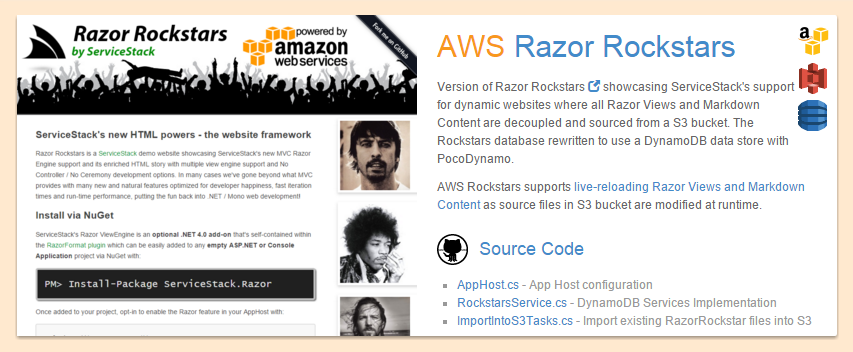
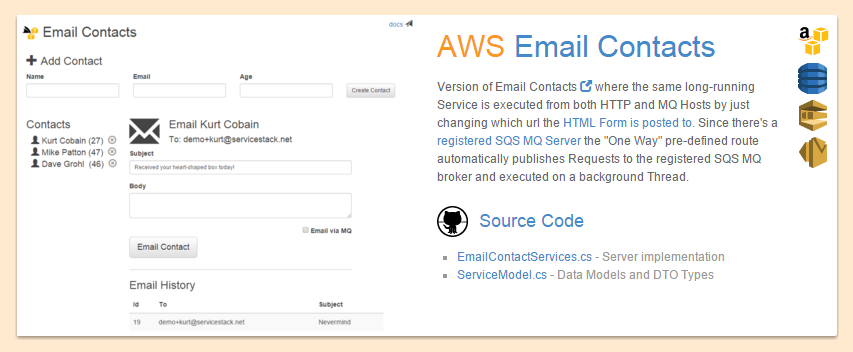
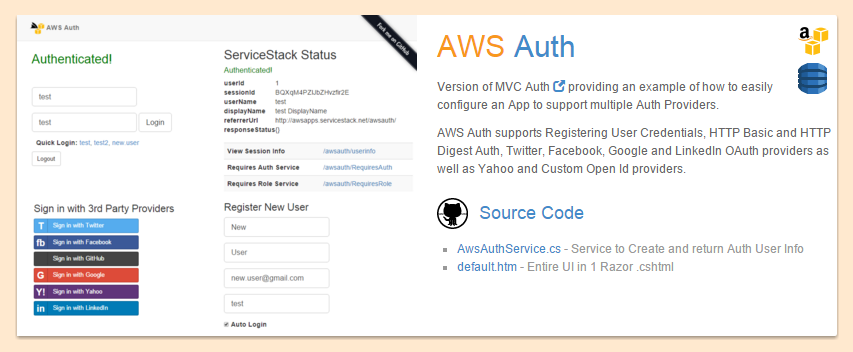
The Live Demos below were rewritten from their original RDBMS and OrmLite backends to utilize a completely managed AWS Stack that now uses PocoDynamo and a DynamoDB-backend:

// Interface for the code-first PocoDynamo clientpublicinterfaceIPocoDynamo:IPocoDynamoAsync,IRequiresSchema{// Get the underlying AWS DynamoDB low-level clientIAmazonDynamoDBDynamoDb{get;}// Get the numeric unique Sequence generator configured with this clientISequenceSourceSequences{get;}// Access the converters that converts POCO's into DynamoDB data typesDynamoConvertersConverters{get;}// How long should PocoDynamo keep retrying failed operations in an exponential backoff (default 60s)TimeSpanMaxRetryOnExceptionTimeout{get;}// Get the AWSSDK DocumentModel schema for this TableTableGetTableSchema(Typetable);// Get PocoDynamo Table metadata for this tableDynamoMetadataTypeGetTableMetadata(Typetable);// Calls 'ListTables' to return all Table Names in DynamoDBIEnumerable<string>GetTableNames();// Creates any tables missing in DynamoDB from the Tables registered with PocoDynamoboolCreateMissingTables(IEnumerable<DynamoMetadataType>tables,TimeSpan?timeout=null);// Creates any tables missing from the specified list of tablesboolCreateTables(IEnumerable<DynamoMetadataType>tables,TimeSpan?timeout=null);// Deletes all DynamoDB TablesboolDeleteAllTables(TimeSpan?timeout=null);// Deletes the tables in DynamoDB with the specified table namesboolDeleteTables(IEnumerable<string>tableNames,TimeSpan?timeout=null);// Gets the POCO instance with the specified hashTGetItem<T>(objecthash);// Gets the POCO instance with the specified hash and range valueTGetItem<T>(objecthash,objectrange);// Calls 'BatchGetItem' in the min number of batch requests to return POCOs with the specified hashes List<T>GetItems<T>(IEnumerable<object>hashes);// Calls 'PutItem' to store instance in DynamoDBTPutItem<T>(Tvalue,boolreturnOld=false);// Calls 'BatchWriteItem' to efficiently store items in min number of batched requestsvoidPutItems<T>(IEnumerable<T>items);// Deletes the instance at the specified hashTDeleteItem<T>(objecthash,ReturnItemreturnItem=ReturnItem.None);// Calls 'BatchWriteItem' to efficiently delete all items with the specified hashesvoidDeleteItems<T>(IEnumerable<object>hashes);// Calls 'BatchWriteItem' to efficiently delete all items with the specified hash and range pairsvoidDeleteItems<T>(IEnumerable<DynamoId>hashes);// Calls 'UpdateItem' with ADD AttributeUpdate to atomically increment specific field numeric valuelongIncrement<T>(objecthash,stringfieldName,longamount=1);// Polls 'DescribeTable' until all Tables have an ACTIVE TableStatusboolWaitForTablesToBeReady(IEnumerable<string>tableNames,TimeSpan?timeout=null);// Polls 'ListTables' until all specified tables have been deletedboolWaitForTablesToBeDeleted(IEnumerable<string>tableNames,TimeSpan?timeout=null);// Updates item Hash field with hash value then calls 'PutItem' to store the related instancevoidPutRelatedItem<T>(objecthash,Titem);// Updates all item Hash fields with hash value then calls 'PutItems' to store all related instancesvoidPutRelatedItems<T>(objecthash,IEnumerable<T>items);// Calls 'Query' to return all related Items containing the specified hash valueIEnumerable<T>GetRelatedItems<T>(objecthash);// Deletes all items with the specified hash and rangesvoidDeleteRelatedItems<T>(objecthash,IEnumerable<object>ranges);// Calls 'Scan' to return lazy enumerated results that's transparently paged across multiple queriesIEnumerable<T>ScanAll<T>();// Creates a Typed `ScanExpression` for the specified tableScanExpression<T>FromScan<T>(Expression<Func<T,bool>>filterExpression=null);// Creates a Typed `ScanExpression` for the specified Global IndexScanExpression<T>FromScanIndex<T>(Expression<Func<T,bool>>filterExpression=null);// Executes the `ScanExpression` returning the specified maximum limit of resultsList<T>Scan<T>(ScanExpression<T>request,intlimit);// Executes the `ScanExpression` returning lazy results transparently paged across multiple queriesIEnumerable<T>Scan<T>(ScanExpression<T>request);// Executes AWSSDK `ScanRequest` returning the specified maximum limit of resultsList<T>Scan<T>(ScanRequestrequest,intlimit);// Executes AWSSDK `ScanRequest` returning lazy results transparently paged across multiple queriesIEnumerable<T>Scan<T>(ScanRequestrequest);// Executes AWSSDK `ScanRequest` with a custom conversion function to map ScanResponse to resultsIEnumerable<T>Scan<T>(ScanRequestrequest,Func<ScanResponse,IEnumerable<T>>converter);// Return Live ItemCount using Table ScanRequestlongScanItemCount<T>();// Return cached ItemCount in summary DescribeTablelongDescribeItemCount<T>();// Creates a Typed `QueryExpression` for the specified tableQueryExpression<T>FromQuery<T>(Expression<Func<T,bool>>keyExpression=null);// Executes the `QueryExpression` returning lazy results transparently paged across multiple queriesIEnumerable<T>Query<T>(QueryExpression<T>request);// Executes the `QueryExpression` returning the specified maximum limit of resultsList<T>Query<T>(QueryExpression<T>request,intlimit);// Creates a Typed `QueryExpression` for the specified Local or Global IndexQueryExpression<T>FromQueryIndex<T>(Expression<Func<T,bool>>keyExpression=null);// Executes AWSSDK `QueryRequest` returning the specified maximum limit of resultsList<T>Query<T>(QueryRequestrequest,intlimit);// Executes AWSSDK `QueryRequest` returning lazy results transparently paged across multiple queriesIEnumerable<T>Query<T>(QueryRequestrequest);// Executes AWSSDK `QueryRequest` with a custom conversion function to map QueryResponse to resultsIEnumerable<T>Query<T>(QueryRequestrequest,Func<QueryResponse,IEnumerable<T>>converter);// Create a clone of the PocoDynamo client with different default settingsIPocoDynamoClientWith(bool?consistentRead=null,long?readCapacityUnits=null,long?writeCapacityUnits=null,TimeSpan?pollTableStatus=null,TimeSpan?maxRetryOnExceptionTimeout=null,int?limit=null,bool?scanIndexForward=null);// Disposes the underlying IAmazonDynamoDB clientvoidClose();}// Available API's with Async equivalentspublicinterfaceIPocoDynamoAsync{TaskCreateMissingTablesAsync(IEnumerable<DynamoMetadataType>tables,CancellationTokentoken=default(CancellationToken));TaskWaitForTablesToBeReadyAsync(IEnumerable<string>tableNames,CancellationTokentoken=default(CancellationToken));TaskInitSchemaAsync();}To maintain a minimumal surface area for PocoDynamo, many additional API's used to provide a more DRY typed API's were moved into PocoDynamoExtensions
classPocoDynamoExtensions{//Register TableDynamoMetadataTypeRegisterTable<T>();DynamoMetadataTypeRegisterTable(TypetableType);voidRegisterTables(IEnumerable<Type>tableTypes);voidAddValueConverter(Typetype,IAttributeValueConvertervalueConverter);//Get Table MetadataTableGetTableSchema<T>();DynamoMetadataTypeGetTableMetadata<T>();//Create TableboolCreateTableIfMissing<T>();boolCreateTableIfMissing(DynamoMetadataTypetable);boolCreateTable<T>(TimeSpan?timeout=null);boolDeleteTable<T>(TimeSpan?timeout=null);//Decrement API'slongDecrementById<T>(objectid,stringfieldName,longamount=1);longIncrementById<T>(objectid,Expression<Func<T,object>>fieldExpr,longamount=1);longDecrementById<T>(objectid,Expression<Func<T,object>>fieldExpr,longamount=1);List<T>GetAll<T>();TGetItem<T>(DynamoIdid);//Typed API overloads for popular hash object idsList<T>GetItems<T>(IEnumerable<int>ids);List<T>GetItems<T>(IEnumerable<long>ids);List<T>GetItems<T>(IEnumerable<string>ids);voidDeleteItems<T>(IEnumerable<int>ids);voidDeleteItems<T>(IEnumerable<long>ids);voidDeleteItems<T>(IEnumerable<string>ids);//Scan HelpersIEnumerable<T>ScanInto<T>(ScanExpressionrequest);List<T>ScanInto<T>(ScanExpressionrequest,intlimit);//Query HelpersIEnumerable<T>QueryInto<T>(QueryExpressionrequest);List<T>QueryInto<T>(QueryExpressionrequest,intlimit);}