A framework for assisting in the renovation of Android app componentization 

| module | arouter-api | arouter-compiler | arouter-register | arouter-idea-plugin |
|---|---|---|---|---|
| version |  |  |  |  |
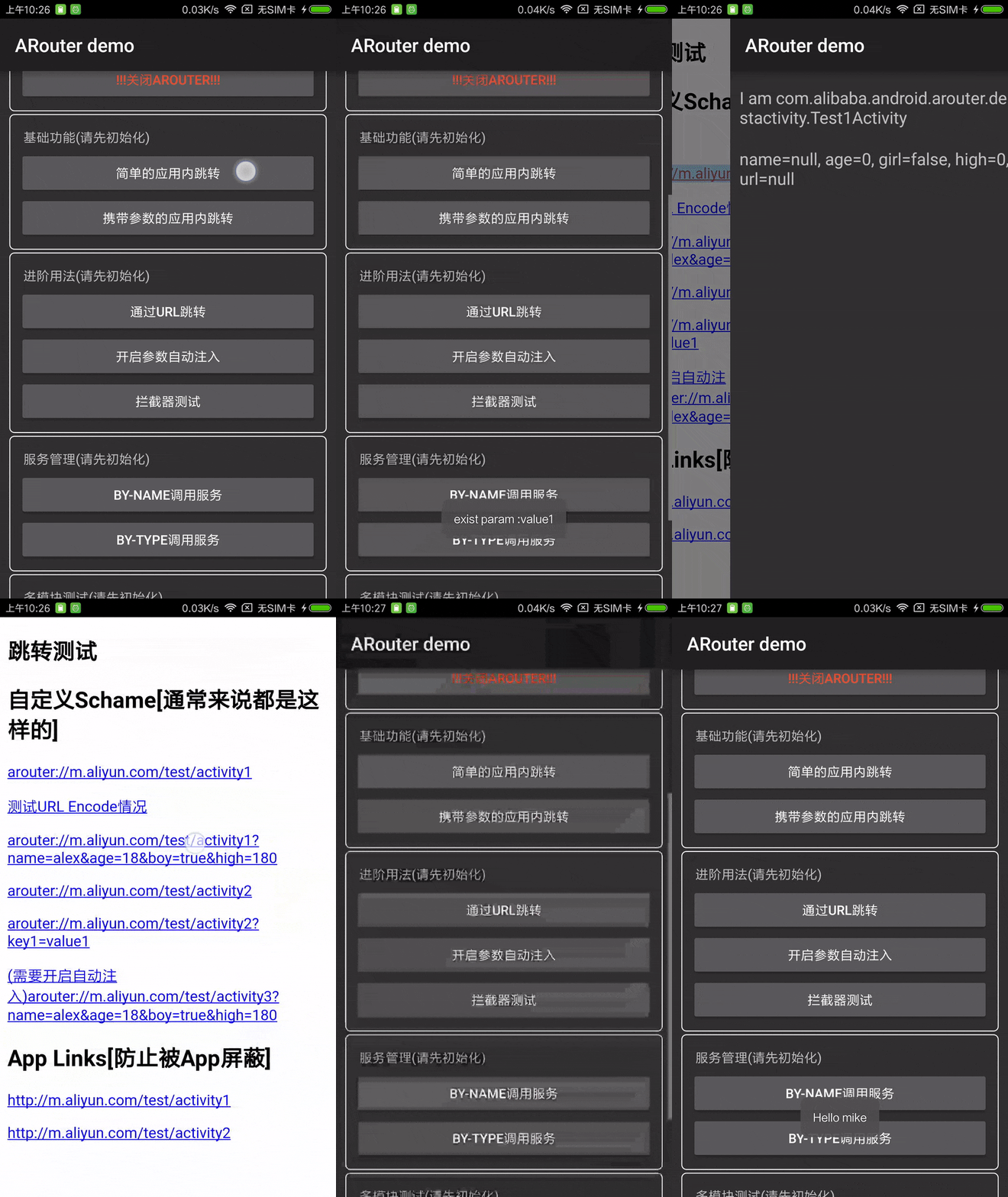
- Supports direct parsing of standard URLs for jumps and automatic injection of parameters into target pages
- Support for multi-module
- Support for interceptor
- Support for dependency injection
- InstantRun support
- MultiDex support
- Mappings are grouped by group, multi-level management, on-demand initialization
- Supports users to specify global demotion and local demotion strategies
- Activity, interceptor and service can be automatically registered to the framework
- Support multiple ways to configure transition animation
- Support for fragment
- Full kotlin support (Look at Other#2)
- Generate route doc support
- Provide IDE plugin for quick navigation to target class
- Support Incremental annotation processing
- Support register route meta dynamic.
- Forward from external URLs to internal pages, and parsing parameters
- Jump and decoupling between multi-module
- Intercept jump process, handle login, statistics and other logic
- Cross-module communication, decouple components by IoC
Adding dependencies and configurations
android{defaultConfig{... javaCompileOptions{annotationProcessorOptions{arguments = [AROUTER_MODULE_NAME: project.getName()] } } } } dependencies{// Replace with the latest version compile 'com.alibaba:arouter-api:?' annotationProcessor 'com.alibaba:arouter-compiler:?'... } // Old version of gradle plugin (< 2.2), You can use apt plugin, look at 'Other#1'// Kotlin configuration reference 'Other#2'
Add annotations
// Add annotations on pages that support routing (required)// The path here needs to pay attention to need at least two levels : /xx/xx@Route(path = "/test/activity") publicclassYourActivityextendActivity{... }
Initialize the SDK
if (isDebug()){// These two lines must be written before init, otherwise these configurations will be invalid in the init processARouter.openLog(); // Print logARouter.openDebug(); // Turn on debugging mode (If you are running in InstantRun mode, you must turn on debug mode! Online version needs to be closed, otherwise there is a security risk) } ARouter.init(mApplication); // As early as possible, it is recommended to initialize in the Application
Initiate the routing
// 1. Simple jump within application (Jump via URL in 'Advanced usage')ARouter.getInstance().build("/test/activity").navigation(); // 2. Jump with parametersARouter.getInstance().build("/test/1") .withLong("key1", 666L) .withString("key3", "888") .withObject("key4", newTest("Jack", "Rose")) .navigation();
Add confusing rules (If Proguard is turn on)
-keep public class com.alibaba.android.arouter.routes.**{*} -keep public class com.alibaba.android.arouter.facade.**{*} -keep class * implements com.alibaba.android.arouter.facade.template.ISyringe{*} # If you use the byType method to obtain Service, add the following rules to protect the interface: -keep interface * implements com.alibaba.android.arouter.facade.template.IProvider # If single-type injection is used, that is, no interface is defined to implement IProvider, the following rules need to be added to protect the implementation # -keep class * implements com.alibaba.android.arouter.facade.template.IProviderUsing the custom gradle plugin to autoload the routing table
apply plugin: 'com.alibaba.arouter'buildscript{repositories{mavenCentral() } dependencies{// Replace with the latest version classpath "com.alibaba:arouter-register:?" } }
Optional, use the registration plugin provided by the ARouter to automatically load the routing table(power by AutoRegister). By default, the ARouter will scanned the dex files . Performing an auto-registration via the gradle plugin can shorten the initialization time , it should be noted that the plugin must be used with api above 1.3.0!
use ide plugin for quick navigation to target class (Optional)
Search for
ARouter Helperin the Android Studio plugin market, or directly download thearouter-idea-pluginzip installation package listed in theLatest versionabove the documentation, after installation plugin without any settings, U can find an icon at the beginning of the jump code. ( ) click the icon to jump to the target class that identifies the path in the code.
Jump via URL
// Create a new Activity for monitoring Scheme events, and then directly pass url to ARouterpublicclassSchemeFilterActivityextendsActivity{@OverrideprotectedvoidonCreate(BundlesavedInstanceState){super.onCreate(savedInstanceState); Uriuri = getIntent().getData(); ARouter.getInstance().build(uri).navigation(); finish()} }
AndroidManifest.xml
<activityandroid:name=".activity.SchemeFilterActivity"> <!-- Scheme --> <intent-filter> <dataandroid:host="m.aliyun.com"android:scheme="arouter"/> <actionandroid:name="android.intent.action.VIEW"/> <categoryandroid:name="android.intent.category.DEFAULT"/> <categoryandroid:name="android.intent.category.BROWSABLE"/> </intent-filter> </activity>
Parse the parameters in the URL
// Declare a field for each parameter and annotate it with @Autowired@Route(path = "/test/activity") publicclassTest1ActivityextendsActivity{@AutowiredpublicStringname; @Autowiredintage; @Autowired(name = "girl") // Map different parameters in the URL by namebooleanboy; @AutowiredTestObjobj; // Support for parsing custom objects, using json pass in URL@OverrideprotectedvoidonCreate(BundlesavedInstanceState){super.onCreate(savedInstanceState); ARouter.getInstance().inject(this); // ARouter will automatically set value of fieldsLog.d("param", name + age + boy)} } // If you need to pass a custom object, Create a new class(Not the custom object class),implement the SerializationService, And use the @Route annotation annotation, E.g:@Route(path = "/yourservicegroupname/json") publicclassJsonServiceImplimplementsSerializationService{@Overridepublicvoidinit(Contextcontext){} @Overridepublic <T> Tjson2Object(Stringtext, Class<T> clazz){returnJSON.parseObject(text, clazz)} @OverridepublicStringobject2Json(Objectinstance){returnJSON.toJSONString(instance)} }
Declaration Interceptor (Intercept jump process, AOP)
// A more classic application is to handle login events during a jump so that there is no need to repeat the login check on the target page.// Interceptors will be executed between jumps, multiple interceptors will be executed in order of priority@Interceptor(priority = 8, name = "test interceptor") publicclassTestInterceptorimplementsIInterceptor{@Overridepublicvoidprocess(Postcardpostcard, InterceptorCallbackcallback){... // No problem! hand over control to the frameworkcallback.onContinue(postcard); // Interrupt routing process// callback.onInterrupt(new RuntimeException("Something exception")); // The above two types need to call at least one of them, otherwise it will not continue routing } @Overridepublicvoidinit(Contextcontext){// Interceptor initialization, this method will be called when sdk is initialized, it will only be called once } }
Processing jump results
// U can get the result of a single jumpARouter.getInstance().build("/test/1").navigation(this, newNavigationCallback(){@OverridepublicvoidonFound(Postcardpostcard){... } @OverridepublicvoidonLost(Postcardpostcard){... } });
Custom global demotion strategy
// Implement the DegradeService interface@Route(path = "/xxx/xxx") publicclassDegradeServiceImplimplementsDegradeService{@OverridepublicvoidonLost(Contextcontext, Postcardpostcard){// do something. } @Overridepublicvoidinit(Contextcontext){} }
Decoupled by dependency injection : Service management -- Exposure services
// Declaration interface, other components get the service instance through the interfacepublicinterfaceHelloServiceextendsIProvider{StringsayHello(Stringname)} @Route(path = "/yourservicegroupname/hello", name = "test service") publicclassHelloServiceImplimplementsHelloService{@OverridepublicStringsayHello(Stringname){return"hello, " + name} @Overridepublicvoidinit(Contextcontext){} }
Decoupled by dependency injection : Service management -- Discovery service
publicclassTest{@AutowiredHelloServicehelloService; @Autowired(name = "/yourservicegroupname/hello") HelloServicehelloService2; HelloServicehelloService3; HelloServicehelloService4; publicTest(){ARouter.getInstance().inject(this)} publicvoidtestService(){// 1. Use Dependency Injection to discover services, annotate fields with annotationshelloService.sayHello("Vergil"); helloService2.sayHello("Vergil"); // 2. Discovering services using dependency lookup, the following two methods are byName and byTypehelloService3 = ARouter.getInstance().navigation(HelloService.class); helloService4 = (HelloService) ARouter.getInstance().build("/yourservicegroupname/hello").navigation(); helloService3.sayHello("Vergil"); helloService4.sayHello("Vergil")} }
Pretreatment Service
@Route(path = "/xxx/xxx") publicclassPretreatmentServiceImplimplementsPretreatmentService{@OverridepublicbooleanonPretreatment(Contextcontext, Postcardpostcard){// Do something before the navigation, if you need to handle the navigation yourself, the method returns false } @Overridepublicvoidinit(Contextcontext){} }
Dynamic register route meta Applicable to apps with plug-in architectures or some scenarios where routing information needs to be dynamically registered,Dynamic registration can be achieved through the interface provided by ARouter, The target page and service need not be marked with @Route annotation,Only the routing information of the same group can be registered in the same batch
ARouter.getInstance().addRouteGroup(newIRouteGroup(){@OverridepublicvoidloadInto(Map<String, RouteMeta> atlas){atlas.put("/dynamic/activity", // pathRouteMeta.build( RouteType.ACTIVITY, // Route typeTestDynamicActivity.class, // Target class"/dynamic/activity", // Path"dynamic", // Group0, // not need0// Extra tag, Used to mark page feature ) )} });
Other settings in initialization
ARouter.openLog(); // Open logARouter.openDebug(); // When using InstantRun, you need to open this switch and turn it off after going online. Otherwise, there is a security risk.ARouter.printStackTrace(); // Print thread stack when printing logs
API description
// Build a standard route requestARouter.getInstance().build("/home/main").navigation(); // Build a standard route request, via URIUriuri; ARouter.getInstance().build(uri).navigation(); // Build a standard route request, startActivityForResult// The first parameter must be Activity and the second parameter is RequestCodeARouter.getInstance().build("/home/main", "ap").navigation(this, 5); // Pass Bundle directlyBundleparams = newBundle(); ARouter.getInstance() .build("/home/main") .with(params) .navigation(); // Set FlagARouter.getInstance() .build("/home/main") .withFlags(); .navigation(); // For fragmentFragmentfragment = (Fragment) ARouter.getInstance().build("/test/fragment").navigation(); // transfer the object ARouter.getInstance() .withObject("key", newTestObj("Jack", "Rose")) .navigation(); // Think the interface is not enough, you can directly set parameter into BundleARouter.getInstance() .build("/home/main") .getExtra(); // Transition animation (regular mode)ARouter.getInstance() .build("/test/activity2") .withTransition(R.anim.slide_in_bottom, R.anim.slide_out_bottom) .navigation(this); // Transition animation (API16+)ActivityOptionsCompatcompat = ActivityOptionsCompat. makeScaleUpAnimation(v, v.getWidth() / 2, v.getHeight() / 2, 0, 0); // ps. makeSceneTransitionAnimation, When using shared elements, you need to pass in the current Activity in the navigation methodARouter.getInstance() .build("/test/activity2") .withOptionsCompat(compat) .navigation(); // Use green channel (skip all interceptors)ARouter.getInstance().build("/home/main").greenChannel().navigation(); // Use your own log tool to print logsARouter.setLogger(); // Use your custom thread poolARouter.setExecutor();
Get the original URI
StringuriStr = getIntent().getStringExtra(ARouter.RAW_URI);
Rewrite URL
// Implement the PathReplaceService interface@Route(path = "/xxx/xxx") publicclassPathReplaceServiceImplimplementsPathReplaceService{/** * For normal path. * * @param path raw path */StringforString(Stringpath){// Custom logicreturnpath} /** * For uri type. * * @param uri raw uri */UriforUri(Uriuri){// Custom logicreturnurl} }
Generate router doc
// Edit build.gradle, add option 'AROUTER_GENERATE_DOC = enable'// Doc file : build/generated/source/apt/(debug or release)/com/alibaba/android/arouter/docs/arouter-map-of-${moduleName}.jsonandroid{defaultConfig{... javaCompileOptions{annotationProcessorOptions{arguments = [AROUTER_MODULE_NAME: project.getName(), AROUTER_GENERATE_DOC: "enable"] } } } }
Old version of gradle plugin configuration
apply plugin: 'com.neenbedankt.android-apt'buildscript{repositories{mavenCentral() } dependencies{classpath 'com.neenbedankt.gradle.plugins:android-apt:1.4' } } apt{arguments{AROUTER_MODULE_NAME project.getName()} } dependencies{compile 'com.alibaba:arouter-api:x.x.x' apt 'com.alibaba:arouter-compiler:x.x.x'... }
Kotlin project configuration
// You can refer to the wording in the "module-kotlin" module apply plugin: 'kotlin-kapt' kapt{arguments{arg("AROUTER_MODULE_NAME", project.getName()) } } dependencies{compile 'com.alibaba:arouter-api:x.x.x' kapt 'com.alibaba:arouter-compiler:x.x.x' ... }
Communication
DingDing group1

QQ group1

QQ group2