


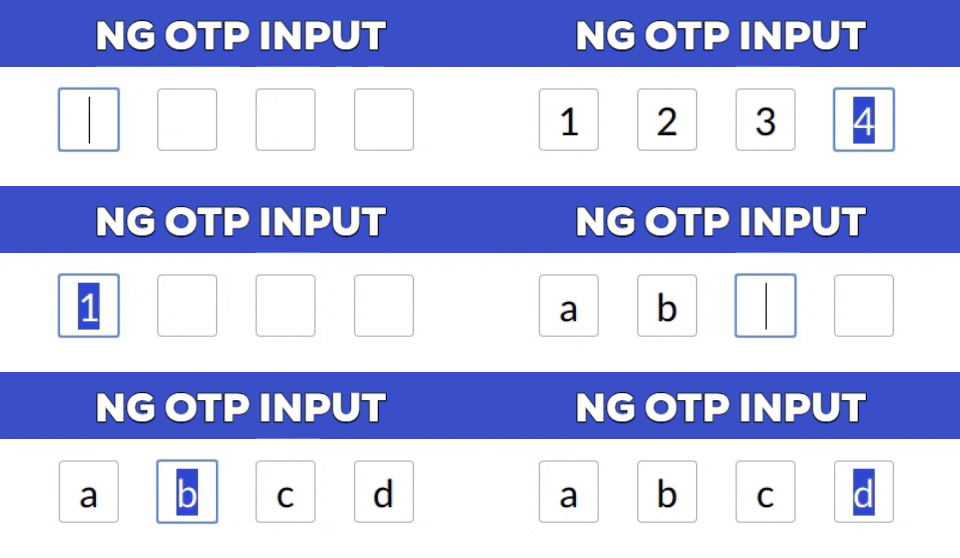
A fully customizable, one-time password (OTP) input component for the web built with Angular.
npm install --save ng-otp-inputnpm install --save [email protected]npm install --save [email protected]- Requires Angular 16 or above.
- Emits
nullinstead of an empty string if no value is supplied. - Fully supports Reactive Forms (
formControlandngModelare supported from v2.0.5 onwards). - Deprecated the custom
formCtrlinput property. UseformControlinstead.
For Modules:
import{NgOtpInputModule}from'ng-otp-input'; @NgModule({imports: [ ...otherModules,NgOtpInputModule,],})exportclassAppModule{}For Standalone Components:
import{NgOtpInputComponent}from'ng-otp-input'; @Component({standalone: true,imports: [NgOtpInputComponent],})exportclassYourComponent{}<!-- With Event Binding --><ng-otp-input(onInputChange)="onOtpChange($event)" [config]="{length: 5 }"></ng-otp-input><!-- Using Reactive FormControl (v2.0.5 and above) --><ng-otp-input[formControl]="yourFormControl" [config]="{length: 5 }"></ng-otp-input>| Name | Type | Required | Default | Description |
|---|---|---|---|---|
disabled | boolean | No | false | Disables all inputs when set to true. |
onOtpChange | Output | No | -- | Emits the OTP value on change. Not required if using formControl. |
onBlur | Output | No | -- | Triggered when focus is lost from the component. |
setValue | function | No | -- | Allows programmatic setting of the component value. |
config | object | Yes | {length: 4 } | Configuration object for customization (see Config Options below). |
| Name | Type | Required | Default | Description |
|---|---|---|---|---|
allowNumbersOnly | boolean | No | false | Restricts input to numeric values only. |
disableAutoFocus | boolean | No | false | Prevents automatic focus on load or when setting the value. |
containerClass | string | No | -- | Adds a custom CSS class to the container element. |
containerStyles | object | No | -- | Customizes the container styles. Check NgStyle. |
inputStyles | object | No | -- | Customizes the styles of individual inputs. |
inputClass | string | No | -- | Adds a custom CSS class to each input box. |
isPasswordInput | boolean | No | false | Masks input as password fields. |
length | number | Yes | 4 | Sets the number of OTP inputs to render. |
letterCase | string | No | -- | Converts input to Upper or Lower case. |
placeholder | string | No | -- | Sets a placeholder for each input box. |
separator | char | No | -- | Inserts a separator character between input boxes. |
showError | boolean | No | false | Highlights inputs with red borders if formControl is invalid, dirty, or touched. |
- Use
formControlorngModel(v2.0.5 and above) for updates. - For earlier versions, use
setValue:
@ViewChild(NgOtpInputComponent,{static: false}) ngOtpInput: NgOtpInputComponent;updateOtpValue(){this.ngOtpInput.setValue('12345');// Replace with your OTP value.}- Use the
disabledproperty or set theFormControlto a disabled state (v2.0.5+). - For earlier versions, use
disablemethod:
this.ngOtpInput.otpForm.disable();consteleId=this.ngOtpInput.getBoxId(0);this.ngOtpInput.focusTo(eleId);
Show your support by starring the repo! Feel free to open issues or contribute via pull requests.

