
Android ListView that implements the QuickReturn UI pattern. Written from scratch with focus on performance.
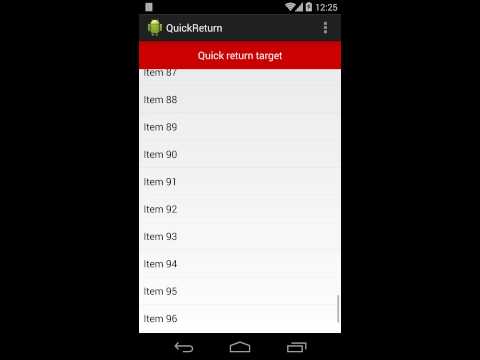
In your build.gradle file:
dependencies{// ... compile 'com.felipecsl.quickreturn:library:1.5.1' }In your activity class:
privateListViewlistView; privateArrayAdapter<String> adapter; privateQuickReturnAttacherquickReturnAttacher; privateTextViewquickReturnTarget; @OverrideprotectedvoidonCreate(BundlesavedInstanceState){super.onCreate(savedInstanceState); setContentView(R.layout.activity_main); // your listView :)listView = (ListView) findViewById(R.id.listView); // the quick return target view to be hidden/displayedquickReturnTarget = (TextView) findViewById(R.id.quickReturnTarget); // your inner adapteradapter = newArrayAdapter<>(this, android.R.layout.simple_list_item_1); // Wrap your adapter with QuickReturnAdapterlistView.setAdapter(newQuickReturnAdapter(adapter)); // Attach a QuickReturnAttacher, which takes care of all of the hide/show functionality.quickReturnAttacher = QuickReturnAttacher.forView(listView); // Add a quick return targetView to the attacher.// You can pass a position argument (POSITION_TOP or POSITION_BOTTOM).// You can also optionally pass the size of the target view, which will be used to // offset the list height, preventing it from hiding content behind the target view.quickReturnAttacher.addTargetView(quickReturnTarget, QuickReturnTargetView.POSITION_TOP, 50); // If you need to add an OnScrollListener to the listView, this is the correct// way to do so.// You have to add it on the QuickReturnAttacher instead// of adding on the listView directly.quickReturnAttacher.addOnScrollListener(this)}Check the sample app for an example of usage.
- Supports dynamic adapters. That means you can add and remove items from your adapter and it will still work nicely.
- You don't have to subclass
QuickReturnAdapterin order to use it. Just pass your own adapter to the constructor and you're done. - Animated transitions via
QuickReturnAttacher.setAnimatedTransition(true) - Supports bottom (footer) quick return position via
QuickReturnAttacher.setPosition(QuickReturnListView.POSITION_BOTTOM). - You can use it with any subclass of
AbsListView, includingListViewandGridView. - If you're using a
GridView, you have to tellQuickReturnAdapterhow many columns it has, via its constructor: - Automatically adjusts the ListView/GridView to prevent it from being hidden behind the target view, when it is placed at the top of the list.
- Supports ScrollView as well!
publicQuickReturnAdapter(finalListAdapterwrappedAdapter, finalintnumColumns)Works with API Level 10 and above.
- The Animated Transition will sometimes hide/show randomly when scrolling down very slowly.
Please see the Changelog to check what's recently changed.
Heavily inspired/influenced by the nice work of Roman Nurik's and Nick Butcher's and Lars Werkman's QuickReturnListView
- Check out the latest master to make sure the feature hasn't been implemented or the bug hasn't been fixed yet
- Check out the issue tracker to make sure someone already hasn't requested it and/or contributed it
- Fork the project
- Start a feature/bugfix branch
- Commit and push until you are happy with your contribution
- Make sure to add tests for it. This is important so I don't break it in a future version unintentionally.
Code and documentation copyright 2011-2014 Felipe Lima. Code released under the MIT license.