
Android drawer icon with material design animation
Basically same as appcompat_v7 version 21, you can use appcompat_v7
compile 'com.android.support:appcompat-v7:21.0.+'<stylename="AppTheme"parent="Theme.AppCompat.Light"> <itemname="actionBarStyle">@style/ActionBar</item> </style> <stylename="ActionBar"parent="Theme.AppCompat.Light.DarkActionBar"> <itemname="drawerArrowStyle">@style/AppTheme.DrawerArrowToggle</item> </style> <stylename="AppTheme.DrawerArrowToggle"parent="Base.Widget.AppCompat.DrawerArrowToggle"> <itemname="color">@android:color/white</item> </style>via Maven:
<dependency> <groupId>com.ikimuhendis</groupId> <artifactId>ldrawer</artifactId> <version>0.1</version> </dependency>or Gradle:
compile 'com.ikimuhendis:ldrawer:0.1'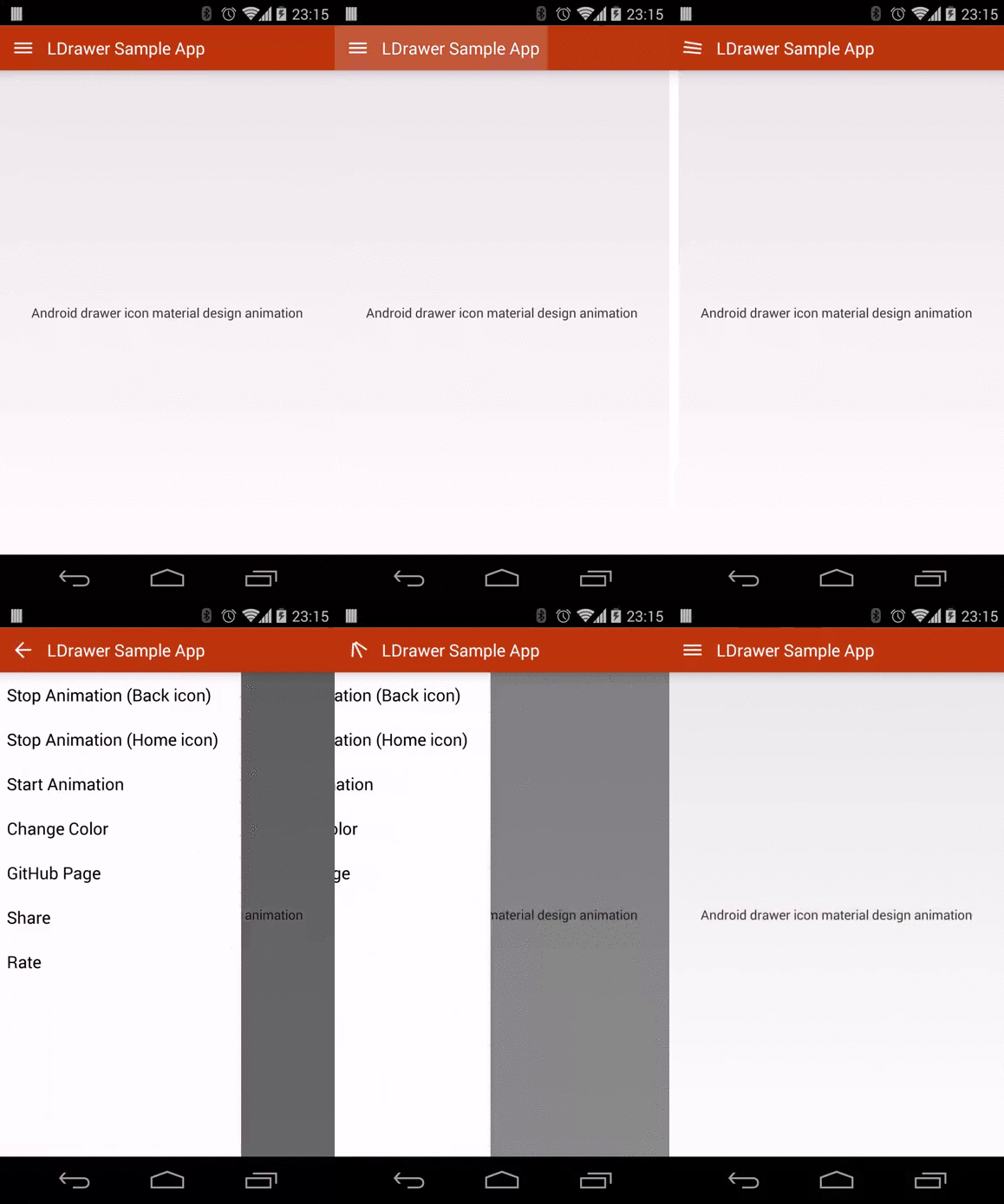
##Usage
You can use like using normal drawer, instead of using android.support.v4.app.ActionBarDrawerToggle use com.ikimuhendis.ldrawer.ActionBarDrawerToggle
First create drawerArrow
drawerArrow = newDrawerArrowDrawable(this){@OverridepublicbooleanisLayoutRtl(){returnfalse} };Then create ActionBarDrawerToggle
mDrawerToggle = newActionBarDrawerToggle(this, mDrawerLayout, drawerArrow, R.string.drawer_open, R.string.drawer_close){publicvoidonDrawerClosed(Viewview){super.onDrawerClosed(view); invalidateOptionsMenu()} publicvoidonDrawerOpened(ViewdrawerView){super.onDrawerOpened(drawerView); invalidateOptionsMenu()} };You can stop or start animation
mDrawerToggle.setAnimateEnabled(false);You can set drawerArrow progress or change color
drawerArrow.setProgress(0f); // normal positiondrawerArrow.setProgress(1f); // back arrow positiondrawerArrow.setColor(R.color.ldrawer_color); // to set color##Example Projects

Copyright 2014 İkimühendis Licensed under the Apache License, Version 2.0 (the "License"); you may not use this file except in compliance with the License. You may obtain a copy of the License at http://www.apache.org/licenses/LICENSE-2.0 Unless required by applicable law or agreed to in writing, software distributed under the License is distributed on an "AS IS" BASIS, WITHOUT WARRANTIES OR CONDITIONS OF ANY KIND, either express or implied. See the License for the specific language governing permissions and limitations under the License.