Rasterio reads and writes geospatial raster datasets.


Rasterio employs GDAL under the hood for file I/O and raster formatting. Its functions typically accept and return Numpy ndarrays. Rasterio is designed to make working with geospatial raster data more productive and more fun.
Rasterio is pronounced raw-STEER-ee-oh.
Here's a simple example of the basic features rasterio provides. Three bands are read from an image and summed to produce something like a panchromatic band. This new band is then written to a new single band TIFF.
importnumpyimportrasterioimportsubprocess# Register GDAL format drivers and configuration options with a# context manager.withrasterio.drivers(CPL_DEBUG=True): # Read raster bands directly to Numpy arrays.#withrasterio.open('tests/data/RGB.byte.tif') assrc: b, g, r=src.read() # Combine arrays in place. Expecting that the sum will# temporarily exceed the 8-bit integer range, initialize it as# 16-bit. Adding other arrays to it in-place converts those# arrays "up" and preserves the type of the total array.total=numpy.zeros(r.shape, dtype=rasterio.uint16) forbandinr, g, b: total+=bandtotal/=3# Write the product as a raster band to a new 8-bit file. For# keyword arguments, we start with the meta attributes of the# source file, but then change the band count to 1, set the# dtype to uint8, and specify LZW compression.kwargs=src.metakwargs.update( dtype=rasterio.uint8, count=1, compress='lzw') withrasterio.open('example-total.tif', 'w', **kwargs) asdst: dst.write_band(1, total.astype(rasterio.uint8)) # At the end of the ``with rasterio.drivers()`` block, context# manager exits and all drivers are de-registered.# Dump out gdalinfo's report card and open the image.info=subprocess.check_output( ['gdalinfo', '-stats', 'example-total.tif']) print(info) subprocess.call(['open', 'example-total.tif'])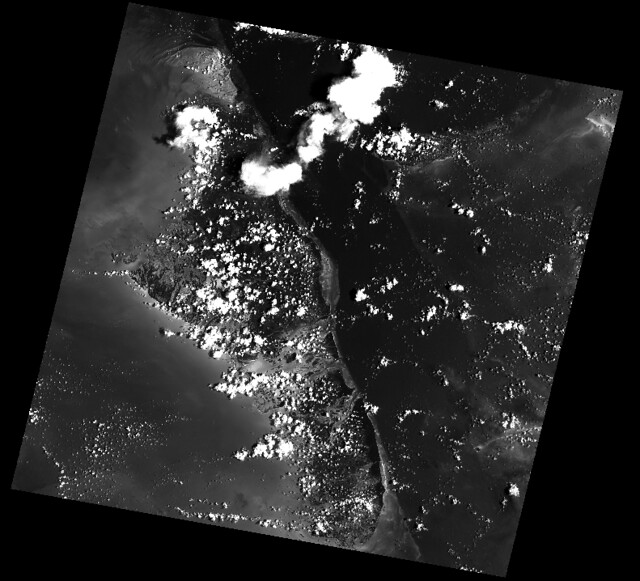
The rasterio.drivers() function and context manager are new in 0.5. The example above shows the way to use it to register and de-register drivers in a deterministic and efficient way. Code written for rasterio 0.4 will continue to work: opened raster datasets may manage the global driver registry if no other manager is present.
Simple access is provided to properties of a geospatial raster file.
withrasterio.drivers(): withrasterio.open('tests/data/RGB.byte.tif') assrc: print(src.width, src.height) print(src.crs) print(src.affine) print(src.count) print(src.indexes) # Output:# (791, 718)#{u'units': u'm', u'no_defs': True, u'ellps': u'WGS84', u'proj': u'utm', u'zone': 18}# Affine(300.0379266750948, 0.0, 101985.0,# 0.0, -300.041782729805, 2826915.0)# 3# [1, 2, 3]Rasterio also affords conversion of GeoTIFFs to other formats.
withrasterio.drivers(): rasterio.copy( 'example-total.tif', 'example-total.jpg', driver='JPEG') subprocess.call(['open', 'example-total.jpg'])Rasterio's command line interface, named "rio", is documented at cli.rst. Its rio insp command opens the hood of any raster dataset so you can poke around using Python.
$ rio insp tests/data/RGB.byte.tif Rasterio 0.10 Interactive Inspector (Python 3.4.1) Type "src.meta", "src.read_band(1)", or "help(src)" for more information. >>> src.name 'tests/data/RGB.byte.tif' >>> src.closed False >>> src.shape (718, 791) >>> src.crs{'init': 'epsg:32618'} >>> b, g, r = src.read() >>> b masked_array(data = [[-- -- -- ..., -- -- --] [-- -- -- ..., -- -- --] [-- -- -- ..., -- -- --] ..., [-- -- -- ..., -- -- --] [-- -- -- ..., -- -- --] [-- -- -- ..., -- -- --]], mask = [[ True True True ..., True True True] [ True True True ..., True True True] [ True True True ..., True True True] ..., [ True True True ..., True True True] [ True True True ..., True True True] [ True True True ..., True True True]], fill_value = 0) >>> b.min(), b.max(), b.mean() (1, 255, 44.434478650699106)Rasterio has one C library dependency: GDAL >=1.9. GDAL itself depends on a number of other libraries provided by most major operating systems and also depends on the non standard GEOS and PROJ4 libraries.
Python package dependencies (see also requirements.txt): affine, cligj (and click), enum34, numpy.
Development also requires (see requirements-dev.txt) Cython and other packages.
Binary wheels with the GDAL, GEOS, and PROJ4 libraries included are available for OS X versions 10.7+ starting with Rasterio version 0.17. To install, just run pip install rasterio. These binary wheels are preferred by newer versions of pip. If you don't want these wheels and want to install from a source distribution, run pip install rasterio --no-use-wheel instead.
The included GDAL library is fairly minimal, providing only the format drivers that ship with GDAL and are enabled by default. To get access to more formats, you must build from a source distribution (see below).
Binary wheels for other operating systems will be available in a future release.
Rasterio is a Python C extension and to build you'll need a working compiler (XCode on OS X etc). You'll also need Numpy preinstalled; the Numpy headers are required to run the rasterio setup script. Numpy has to be installed (via the indicated requirements file) before rasterio can be installed. See rasterio's Travis configuration for more guidance.
The following commands are adapted from Rasterio's Travis-CI configuration.
$ sudo add-apt-repository ppa:ubuntugis/ppa $ sudo apt-get update $ sudo apt-get install python-numpy libgdal1h gdal-bin libgdal-dev $ pip install rasterioAdapt them as necessary for your Linux system.
For a Homebrew based Python environment, do the following.
$ brew install gdal $ pip install rasterioWindows binary packages created by Christoph Gohlke are available here.
From the repo directory, run py.test
$ py.testSee https://github.com/mapbox/rasterio/tree/master/docs.
See LICENSE.txt
See AUTHORS.txt
See CHANGES.txt