


A minimalist Vim plugin manager.
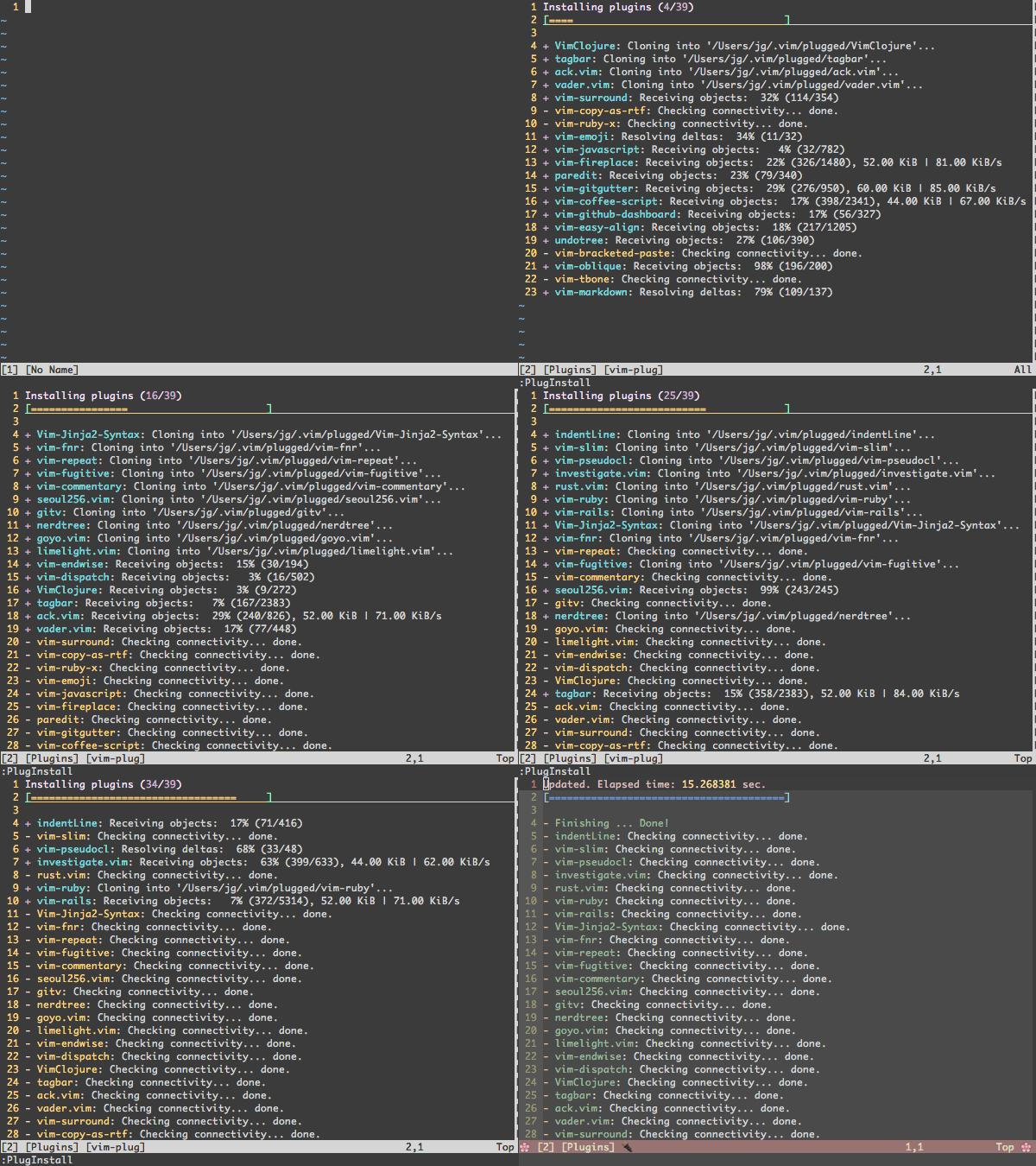
- Easier to setup: Single file. No boilerplate code required.
- Easier to use: Concise, intuitive syntax
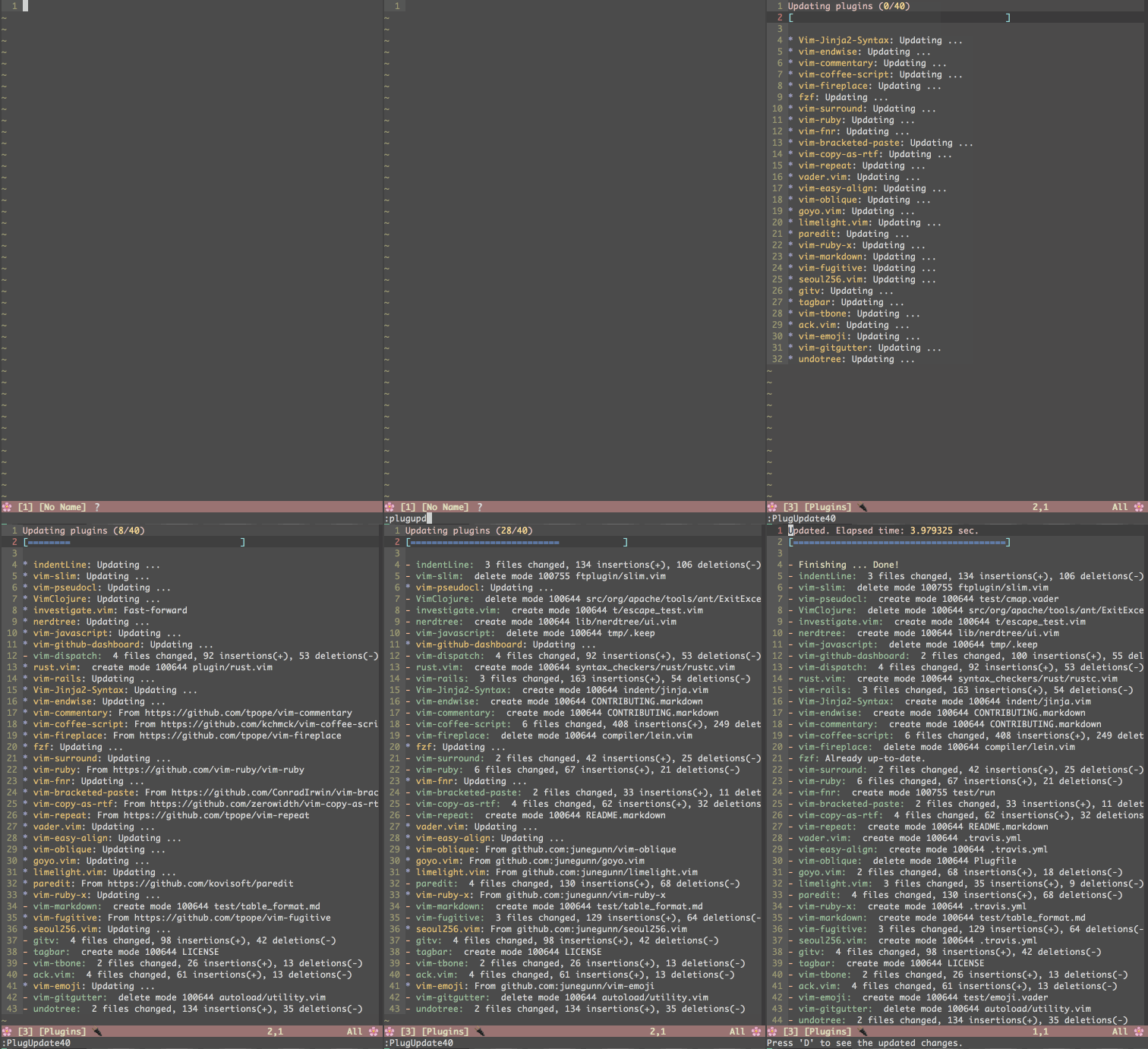
- Super-fast parallel installation/update (with any of
+job,+python,+python3,+ruby, or Neovim) - Creates shallow clones to minimize disk space usage and download time
- On-demand loading for faster startup time
- Can review and rollback updates
- Branch/tag/commit support
- Post-update hooks
- Support for externally managed plugins
Download plug.vim and put it in the "autoload" directory.
curl -fLo ~/.vim/autoload/plug.vim --create-dirs \ https://raw.githubusercontent.com/junegunn/vim-plug/master/plug.vimYou can automate the process by putting the command in your Vim configuration file as suggested here.
md ~\vimfiles\autoload $uri='https://raw.githubusercontent.com/junegunn/vim-plug/master/plug.vim' (New-Object Net.WebClient).DownloadFile( $uri,$ExecutionContext.SessionState.Path.GetUnresolvedProviderPathFromPSPath( "~\vimfiles\autoload\plug.vim" ) )sh -c 'curl -fLo "${XDG_DATA_HOME:-$HOME/.local/share}"/nvim/site/autoload/plug.vim --create-dirs \ https://raw.githubusercontent.com/junegunn/vim-plug/master/plug.vim'curl -fLo ~/.var/app/io.neovim.nvim/data/nvim/site/autoload/plug.vim \ https://raw.githubusercontent.com/junegunn/vim-plug/master/plug.vimmd ~\AppData\Local\nvim-data\site\autoload $uri='https://raw.githubusercontent.com/junegunn/vim-plug/master/plug.vim' (New-Object Net.WebClient).DownloadFile( $uri,$ExecutionContext.SessionState.Path.GetUnresolvedProviderPathFromPSPath( "~\AppData\Local\nvim-data\site\autoload\plug.vim" ) )- See tutorial page to learn the basics of vim-plug
- See tips and FAQ pages for common problems and questions
- See requirements page for debugging information & tested configurations
- Create an issue
Add a vim-plug section to your ~/.vimrc (or stdpath('config') . '/init.vim' for Neovim)
- Begin the section with
call plug#begin() - List the plugins with
Plugcommands call plug#end()to update&runtimepathand initialize plugin system- Automatically executes
filetype plugin indent onandsyntax enable. You can revert the settings after the call. e.g.filetype indent off,syntax off, etc.
- Automatically executes
" Specify a directory for plugins" - For Neovim: stdpath('data') . '/plugged'" - Avoid using standard Vim directory names like 'plugin'callplug#begin('~/.vim/plugged') " Make sure you use single quotes" Shorthand notation; fetches https://github.com/junegunn/vim-easy-align Plug 'junegunn/vim-easy-align'" Any valid git URL is allowed Plug 'https://github.com/junegunn/vim-github-dashboard.git'" Multiple Plug commands can be written in a single line using | separators Plug 'SirVer/ultisnips' | Plug 'honza/vim-snippets'" On-demand loading Plug 'scrooloose/nerdtree',{'on': 'NERDTreeToggle' } Plug 'tpope/vim-fireplace',{'for': 'clojure' } " Using a non-master branch Plug 'rdnetto/YCM-Generator',{'branch': 'stable' } " Using a tagged release; wildcard allowed (requires git 1.9.2 or above) Plug 'fatih/vim-go',{'tag': '*' } " Plugin options Plug 'nsf/gocode',{'tag': 'v.20150303', 'rtp': 'vim' } " Plugin outside ~/.vim/plugged with post-update hook Plug 'junegunn/fzf',{'dir': '~/.fzf', 'do': './install --all' } " Unmanaged plugin (manually installed and updated) Plug '~/my-prototype-plugin'" Initialize plugin systemcallplug#end()Reload .vimrc and :PlugInstall to install plugins.
| Command | Description |
|---|---|
PlugInstall [name ...] [#threads] | Install plugins |
PlugUpdate [name ...] [#threads] | Install or update plugins |
PlugClean[!] | Remove unlisted plugins (bang version will clean without prompt) |
PlugUpgrade | Upgrade vim-plug itself |
PlugStatus | Check the status of plugins |
PlugDiff | Examine changes from the previous update and the pending changes |
PlugSnapshot[!] [output path] | Generate script for restoring the current snapshot of the plugins |
| Option | Description |
|---|---|
branch/tag/commit | Branch/tag/commit of the repository to use |
rtp | Subdirectory that contains Vim plugin |
dir | Custom directory for the plugin |
as | Use different name for the plugin |
do | Post-update hook (string or funcref) |
on | On-demand loading: Commands or <Plug>-mappings |
for | On-demand loading: File types |
frozen | Do not update unless explicitly specified |
| Flag | Default | Description |
|---|---|---|
g:plug_threads | 16 | Default number of threads to use |
g:plug_timeout | 60 | Time limit of each task in seconds (Ruby & Python) |
g:plug_retries | 2 | Number of retries in case of timeout (Ruby & Python) |
g:plug_shallow | 1 | Use shallow clone |
g:plug_window | vertical topleft new | Command to open plug window |
g:plug_pwindow | above 12new | Command to open preview window in PlugDiff |
g:plug_url_format | https://git::@github.com/%s.git | printf format to build repo URL (Only applies to the subsequent Plug commands) |
D-PlugDiffS-PlugStatusR- Retry failed update or installation tasksU- Update plugins in the selected rangeq- Close the window:PlugStatusL- Load plugin
:PlugDiffX- Revert the update
Example: A small sensible Vim configuration
callplug#begin() Plug 'tpope/vim-sensible'callplug#end()" NERD tree will be loaded on the first invocation of NERDTreeToggle command Plug 'scrooloose/nerdtree',{'on': 'NERDTreeToggle' } " Multiple commands Plug 'junegunn/vim-github-dashboard',{'on': ['GHDashboard', 'GHActivity'] } " Loaded when clojure file is opened Plug 'tpope/vim-fireplace',{'for': 'clojure' } " Multiple file types Plug 'kovisoft/paredit',{'for': ['clojure', 'scheme'] } " On-demand loading on both conditions Plug 'junegunn/vader.vim',{'on': 'Vader', 'for': 'vader' } " Code to execute when the plugin is lazily loaded on demand Plug 'junegunn/goyo.vim',{'for': 'markdown' } autocmd!User goyo.vimechom'Goyo is now loaded!'for option is generally not needed as most plugins for specific file types usually don't have too much code in plugin directory. You might want to examine the output of vim --startuptime before applying the option.
There are some plugins that require extra steps after installation or update. In that case, use do option to describe the task to be performed.
Plug 'Shougo/vimproc.vim',{'do': 'make' } Plug 'ycm-core/YouCompleteMe',{'do': './install.py' }If the value starts with :, it will be recognized as a Vim command.
Plug 'fatih/vim-go',{'do': ':GoInstallBinaries' }If you need more control, you can pass a reference to a Vim function that takes a single argument.
function!BuildYCM(info) " info is a dictionary with 3 fields" - name: name of the plugin" - status: 'installed', 'updated', or 'unchanged'" - force: set on PlugInstall! or PlugUpdate!ifa:info.status =='installed'||a:info.force !./install.pyendifendfunction Plug 'ycm-core/YouCompleteMe',{'do': function('BuildYCM') }Both forms of post-update hook are executed inside the directory of the plugin and only run when the repository has changed, but you can force it to run unconditionally with the bang-versions of the commands: PlugInstall! and PlugUpdate!.
Make sure to escape BARs and double-quotes when you write do option inline as they are mistakenly recognized as command separator or the start of the trailing comment.
Plug 'junegunn/fzf',{'do': 'yes \| ./install' }But you can avoid the escaping if you extract the inline specification using a variable (or any Vimscript expression) as follows:
letg:fzf_install='yes | ./install' Plug 'junegunn/fzf',{'do': g:fzf_install }The installer takes the following steps when installing/updating a plugin:
git cloneorgit fetchfrom its origin- Check out branch, tag, or commit and optionally
git mergeremote branch - If the plugin was updated (or installed for the first time)
- Update submodules
- Execute post-update hooks
The commands with ! suffix ensure that all steps are run unconditionally.
- Writing my own Vim plugin manager
- Vim plugins and startup time
Thoughts on Vim plugin dependency- Support for Plugfile has been removed since 0.5.0
- Jan Edmund Lazo - Windows support
- Jeremy Pallats - Python installer
MIT