





Flexible progress bar written in Swift.
- Gradation Color
- Progress Closure
- UIBezierPath Progress Bar
- Progress Gauge Guide
- Customizable on Storyboard
- Progress Change Animation
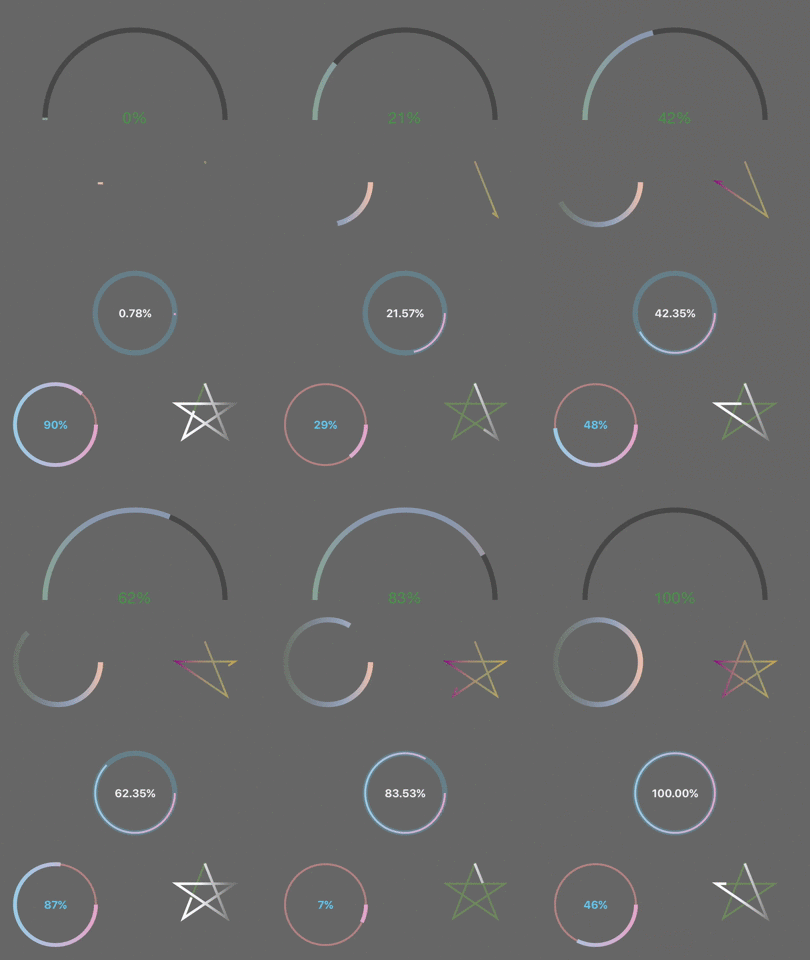
- Swift4.2
// create KYCircularProgress letcircularProgress=KYCircularProgress(frame: view.bounds) // create KYCircularProgress with gauge guide letcircularProgress=KYCircularProgress(frame: view.bounds, showGuide:true)// support Hex color to RGBA color circularProgress.colors =[UIColor(rgba:0xA6E39D11),UIColor(rgba:0xAEC1E355),UIColor(rgba:0xAEC1E3AA),UIColor(rgba:0xF3C0ABFF)] // combine Hex color and UIColor circularProgress.colors =[.purple,UIColor(rgba:0xFFF77A55),.orange]circularProgress.progressChanged{(progress:Double, circularProgress:KYCircularProgress)inprint("progress: \(progress)")}// create "Star progress bar" letpath=UIBezierPath() path.move(to:CGPoint(x:50.0, y:2.0)) path.addLine(to:CGPoint(x:84.0, y:86.0)) path.addLine(to:CGPoint(x:6.0, y:33.0)) path.addLine(to:CGPoint(x:96.0, y:33.0)) path.addLine(to:CGPoint(x:17.0, y:86.0)) path.close() starProgress.path = pathCocoaPods is a dependency manager for Cocoa projects.
To integrate KYCircularProgress into your Xcode project using CocoaPods, specify it in your podfile:
source 'https://github.com/CocoaPods/Specs.git' platform :ios, '8.0' use_frameworks! pod 'KYCircularProgress' Then, run the following command:
$ pod install Carthage is a decentralized dependency manager that automates the process of adding frameworks to your Cocoa application.
You can install Carthage with Homebrew using the following command:
$ brew update $ brew install carthageTo integrate KYCircularProgress into your Xcode project using Carthage, specify it in your Cartfile:
github "kentya6/KYCircularProgress" >= 1.2.1 Add KYCircularProgress.swift into your Xcode project.
The MIT License (MIT)
Copyright (c) 2014-2018 Kengo YOKOYAMA