

https://sourceforge.net/projects/vscloud/
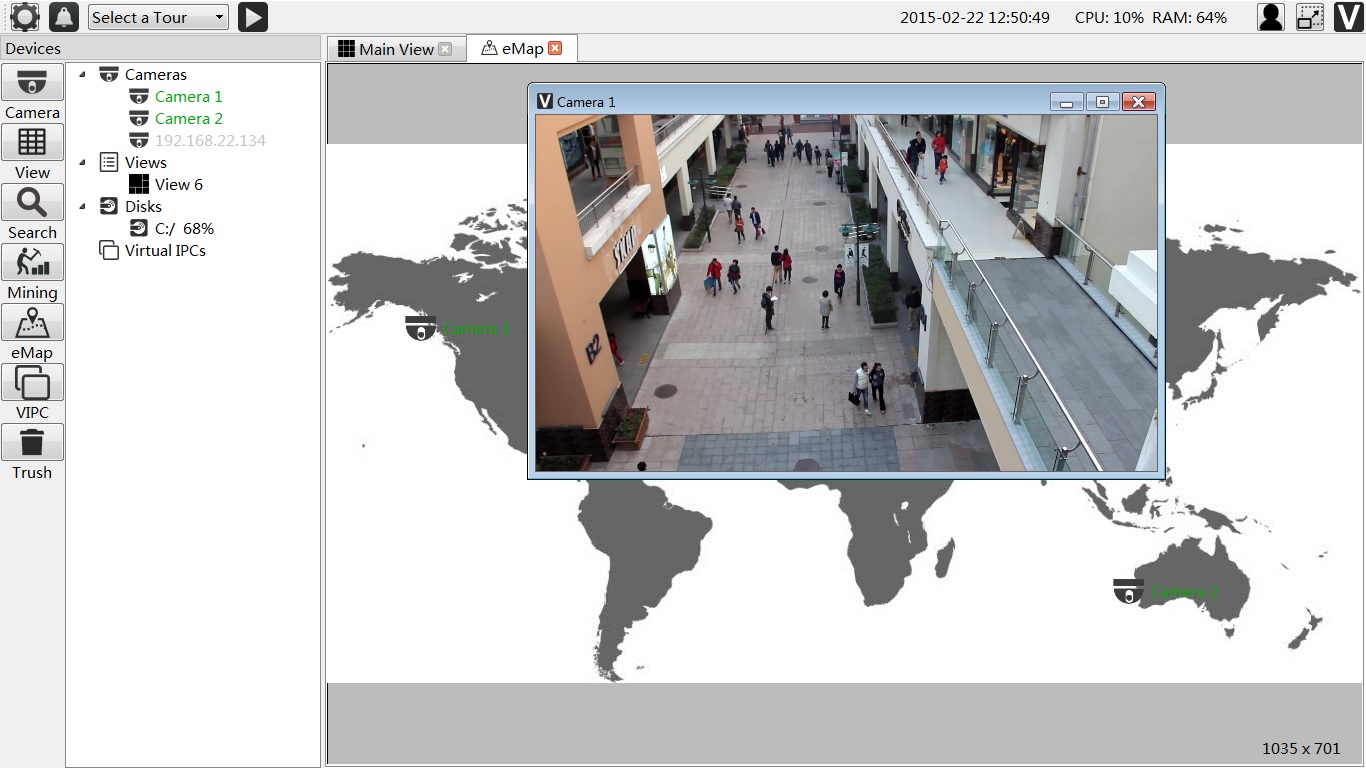
ONVIF profile S support. Unlimited timeline playback. Anti file system fragment recording system. Multi Display screen support. Alarm Support PTZ Support ONVIF ProfileS simulator Emap Data Mining HDFS Video Recording Download OpenCVR V201X-xxxx.msi from https://sourceforge.net/projects/vscloud/
Add Path "C:\Program Files\Java\jdk1.8.0_25\jre\bin\server" for HDFS ubuntu: sudo apt-get install libx11-dev yasm libxext-dev libgl1-mesa-dev zlib1g-dev centos: sudo yum install nasm xorg-x11-server-devel zlib-devel
Download OpenCVR-Ubuntu(CentOS)-xxx-32bit(64bit)-201xxxxx.tar.gz from https://sourceforge.net/projects/vscloud/
1.Install qt-opensource-linux-x64-5.4.0.run http://download.qt-project.org/official_releases/qt/5.4/5.4.0/qt-opensource-linux-x64-5.4.0.run ---> add below 2 line into /etc/profile export PATH=/home/xxx/Qt5.4.0/5.4/gcc_64/bin:/home/xxx/Qt5.4.0/Tools/QtCreator/bin/:$PATH export VE_QTDIR=/home/xxx/Qt5.4.0/5.4/gcc_64/ 2.edit the env.sh LD_LIBRARY_PATH for the current dir ./root.sh source ./env.sh ./start.sh 1.Install qt-opensource-linux-x86-5.4.0.run http://download.qt-project.org/official_releases/qt/5.4/5.4.0/qt-opensource-linux-x86-5.4.0.run ---> add below 2 line into /etc/profile export PATH=/home/xxx/Qt5.4.0/5.4/gcc/bin:/home/xxx/Qt5.4.0/Tools/QtCreator/bin/:$PATH export VE_QTDIR=/home/xxx/Qt5.4.0/5.4/gcc/ 2.edit the env.sh LD_LIBRARY_PATH for the current dir ./root.sh source ./env.sh ./start.sh 1. Install VS2013 2. Install QT 5.4.0 in the http://download.qt-project.org/official_releases/qt/5.4/5.4.0/qt-opensource-windows-x86-msvc2013-5.4.0.exe export VE_QTDIR=C:\Qt\Qt5.4.0\5.4\msvc2013\ export VE_QTDIR_x64=C:\Qt\Qt5.4.0_x64\5.4\msvc2013_64 3. http://download.qt-project.org/official_releases/vsaddin/qt-vs-addin-1.2.4-opensource.exe 4. Open the veapp\prj_win32\VSCloudNode.sln to build ubuntu: sudo apt-get install libx11-dev yasm libxext-dev libgl1-mesa-dev zlib1g-dev centos: sudo yum install nasm xorg-x11-server-devel zlib-devel Install qt-opensource-linux-x64-5.4.0.run http://download.qt-project.org/official_releases/qt/5.4/5.4.0/qt-opensource-linux-x64-5.4.0.run export PATH=$PATH:/home/xxx/Qt5.4.0/5.4/gcc_64/bin:/home/xxx/Qt5.4.0/Tools/QtCreator/bin/ For more guide http://veyesys.com/
Mail : [email protected]
Skype : [email protected]
QQ : 2104915834
Please Delete C:\videodb if use OpenCVR V2014-0630.msi and before. For Axis Camera, Plase disable the replay attack protection System Options Advanced Plain Config Webservice(Select Group) Disable the Enable replay attack protection For Sony camera, Please make the vdcye time same with the camera